
The gradebook teachers choose, ready for your whole organization.
Give every educator the assessment depth they value, alongside the systems you already rely on, with the sign-in, security, support and pricing your district, board, trust or school group needs.
- educators
- 6,000+
- schools
- 1,300+
- students
- 300,000+
Start with what teachers value.
The hardest part of any rollout is getting teachers to use it. MarkBook® starts there.

Built for the people who use it every day
Assessment isn’t an add-on to MarkBook—it’s the reason MarkBook exists. Teachers get a workflow built around how they assess, so adoption doesn’t have to be forced.

Consistency without one-size-fits-all assessment
Create a stronger shared foundation for assessment while preserving the professional judgement of educators.

Better-informed decisions for every student
MarkBook brings richer evidence of student achievement into everyday classroom decisions, helping you see what is working, understand where support may be needed and make better-informed decisions that contribute to stronger outcomes for students.
Keep the systems you trust. Add the assessment depth educators need.
Your student information system and learning platform keep doing what they do best. MarkBook is designed as a focused assessment and grading layer, not a replacement for either.
What it adds for every educator:
- A choice of assessment approach: Traditional Grading, or MarkBook Mastery for skills, standards and learning outcomes.
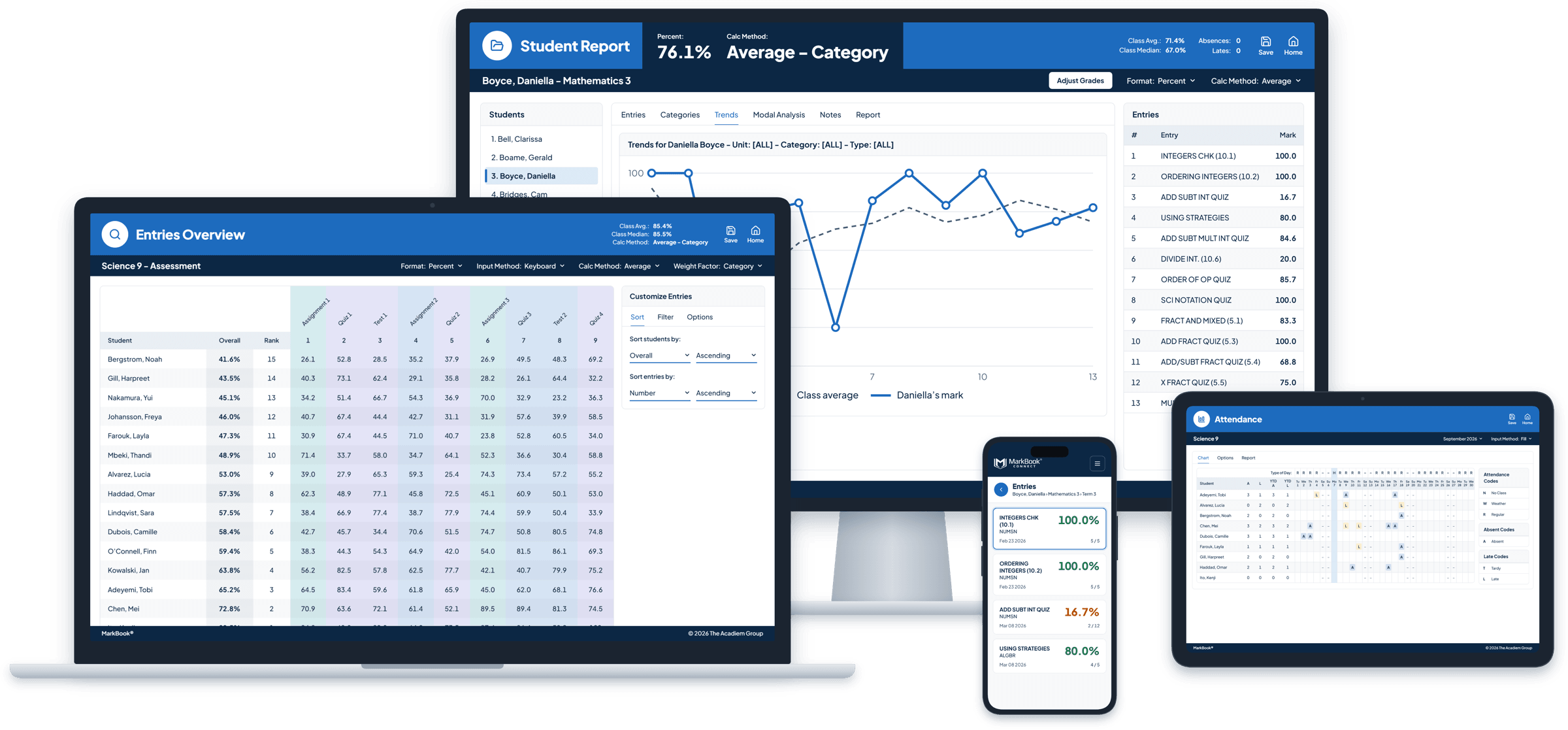
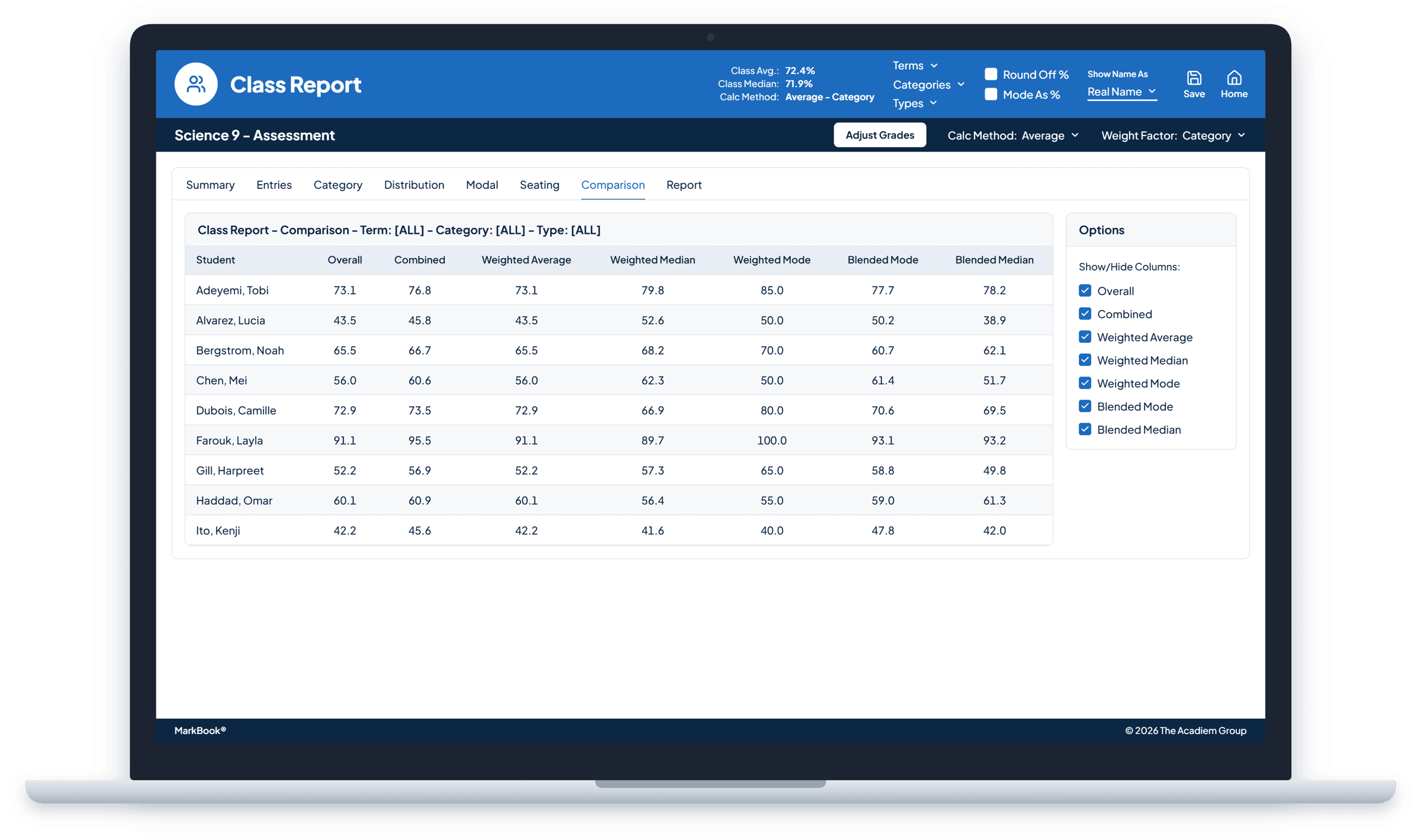
- More than one way to see a student’s work: weighted average, weighted median, Most Consistent Level, blended calculations and trends.
- Reports that explain every result, with a comment library.
- Teacher-controlled sharing with students and families through MarkBook CONNECT.
- Attendance, notes and classroom context kept close to the evidence.
Built to fit your environment.
MarkBook should fit your environment—not the other way around.

Sign-in
Single sign-on with Microsoft or Google for institutional implementations.

Rosters and reporting
Import class lists from supported files. For schools using Aspen, MarkBook supports roster and reporting workflows that connect with established processes. System compatibility should be reviewed during implementation planning. Using a different system? Tell us what you use, and we’ll review compatibility with you.

Data and security
Hosted on Microsoft Azure, with automatic backups. Information is encrypted at rest and in transit, and protected by authentication and access controls. Have specific privacy or data-residency requirements? We’ll walk your team through how MarkBook handles student information.

Privacy and procurement review
Privacy, security, hosting and technical documentation is available for your review.

Your unique requirements
Every district and board is different. We’re happy to discuss specific integration, workflow and implementation needs, and find the right approach together.

Access from any computer or tablet
Automatic updates, and nothing to install.
A partner from evaluation to every school year.
Here’s what working with us looks like, from first conversation to every school year after.
Set educators up for success from the start
We work directly with you on onboarding, training and rollout planning, adapting the approach to the size, structure and needs of your organization.
Seat management that keeps pace with change
Seat Manager gives you one dashboard for invitations, setup progress, licence assignments and renewals. Reassign MarkBook licences as staffing and teaching assignments change.
Stay supported beyond implementation
A consistent point of contact and responsive support for technical questions, account administration and renewals.
“What has stood out about MarkBook is not only the depth of the product, but the responsiveness of the team behind it. They listen to educator feedback, understand our needs and turn that feedback into meaningful improvements. That partnership has helped MarkBook continue to support our educators year after year.”
Pricing and procurement, made straightforward.
- Pricing per student or per educator, with volume pricing and multi-year agreements available.
- Multi-year agreements that can provide additional savings.
- Start with a few schools or roll out everywhere. Scale at your own pace.
- Purchase orders and standard procurement processes supported.
- Documentation for vendor, privacy and security review.
- Flexible product mix: MarkBook for most educators, with MarkBook for Windows available where an installed, offline workflow fits.
How it works
Step 1: Tell us about your organization: your schools, educators and timeline
Step 2: We review fit together: your systems, sign-in, privacy and rollout needs
Step 3: Receive your pricing and a rollout plan
Step 4: We onboard your schools and stay with you from there
What educators and leaders say
“The MarkBook success story is working here very nicely and has been the catalyst of all the things the Ministry has been telling us for years. Finally, we can ...actually implement the good and right Assessment.”
Alyssa K., Canada “I have been using MarkBook for two years now and think it is a wonderful program. We use it in IB (International Baccalaureate) with good results! Even my Predicted Grades were improved!”
LeeAnn F., Switzerland “Your solution works like a charm! I can’t say how much I appreciate your commitment to product support—I shall be raving about [MarkBook] all over our district!”
Elliot D., Canada
Questions districts and boards ask
Which single sign-on options are available?
Microsoft and Google sign-in are available for institutional implementations. Availability and configuration depend on your implementation requirements.
What happens when staff change schools or leave?
Seat Manager lets you reassign MarkBook licences as assignments change. Only the licence moves; a former educator’s classes and data aren’t transferred to the new educator.
How is pricing calculated?
District and board pricing is based on the number of students or educators, with volume pricing available. Multi-year agreements can provide additional savings.
Will you complete our vendor review or RFP?
Yes. We provide documentation and direct answers for privacy, security and procurement reviews.
Tell us about your organization.
Tell us a little about your organization, and we’ll follow up about fit, requirements and pricing.