
Your classroom, your gradebook.

MarkBook® is made for the way you assess, with the flexibility to grade your way, the depth to see beyond the average and the detail to stand behind every grade.

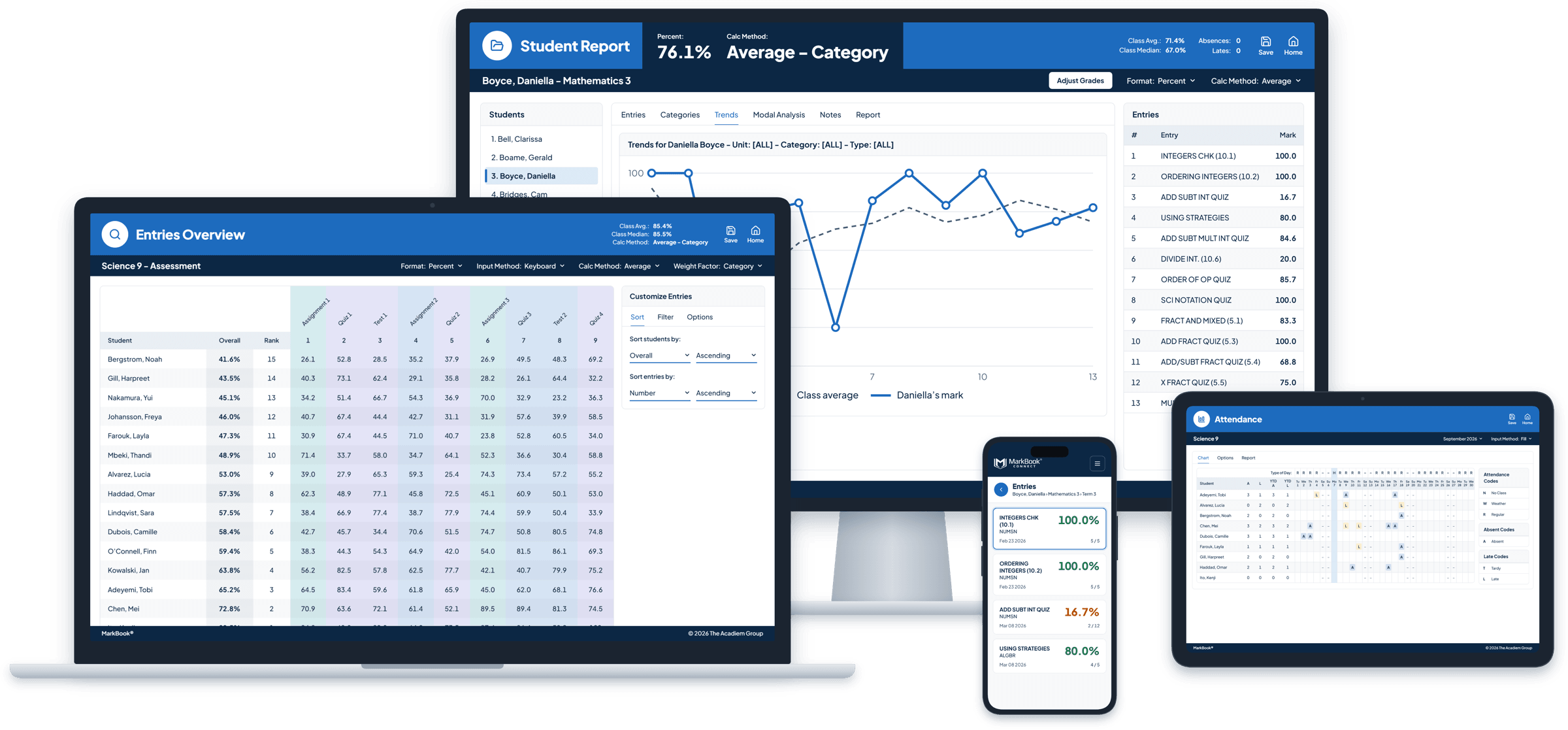
MarkBook on a monitor, a laptop, a tablet and a phone, showing student trends, entries, attendance and MarkBook CONNECT.
educators
6,000+
schools
1,300+
students
300,000+

Made for every part of your week.

  1. Every class, every day

    Marks, attendance and notes in one place, quick to enter and easy to find. A grid that feels familiar, without formulas to build or break.

  2. The tough call

    More than one way to look at a student’s work before you decide. Compare the weighted average with the weighted median, the level they reach most consistently, and how they’re trending. Then make the call yourself.

  3. When someone asks why

    Every result explained, with the detail to back it up. When a parent, student or principal asks how you got there, the evidence is already on the page.

  4. The student who needs you

    Patterns over time, missing work and attendance side by side, so you notice sooner and act with care.

  5. Report card season

    Detailed reports with graphs and a comment library at your fingertips. Share selected grades and reports with students and families through MarkBook CONNECT, when you decide they’re ready.

Grade the way you want to.

You shouldn’t have to change how you assess to fit your software. MarkBook adapts to you.

  • Your scales: percentages, raw scores, letter grades or achievement levels.
  • Your structure: categories like Homework, Quizzes and Tests, or Knowledge, Thinking, Communication and Application, set up to match your course, school, district or province.
  • Your weighting: weight individual assessments, whole categories, or both.
  • Your exceptions: excuse one student from an assessment with No Mark, without it counting against them or changing anyone else’s result.
  • Your purpose: separate formative and summative assessment, or assessment for, as and of learning, and filter by it when you review.
  • Your approach: Traditional Grading, or MarkBook Mastery to track growth across skills and outcomes with repeated evidence.
  • Your call: adjust any final grade with your professional judgement. The calculated result stays visible beside it.
See how MarkBook’s calculations work →
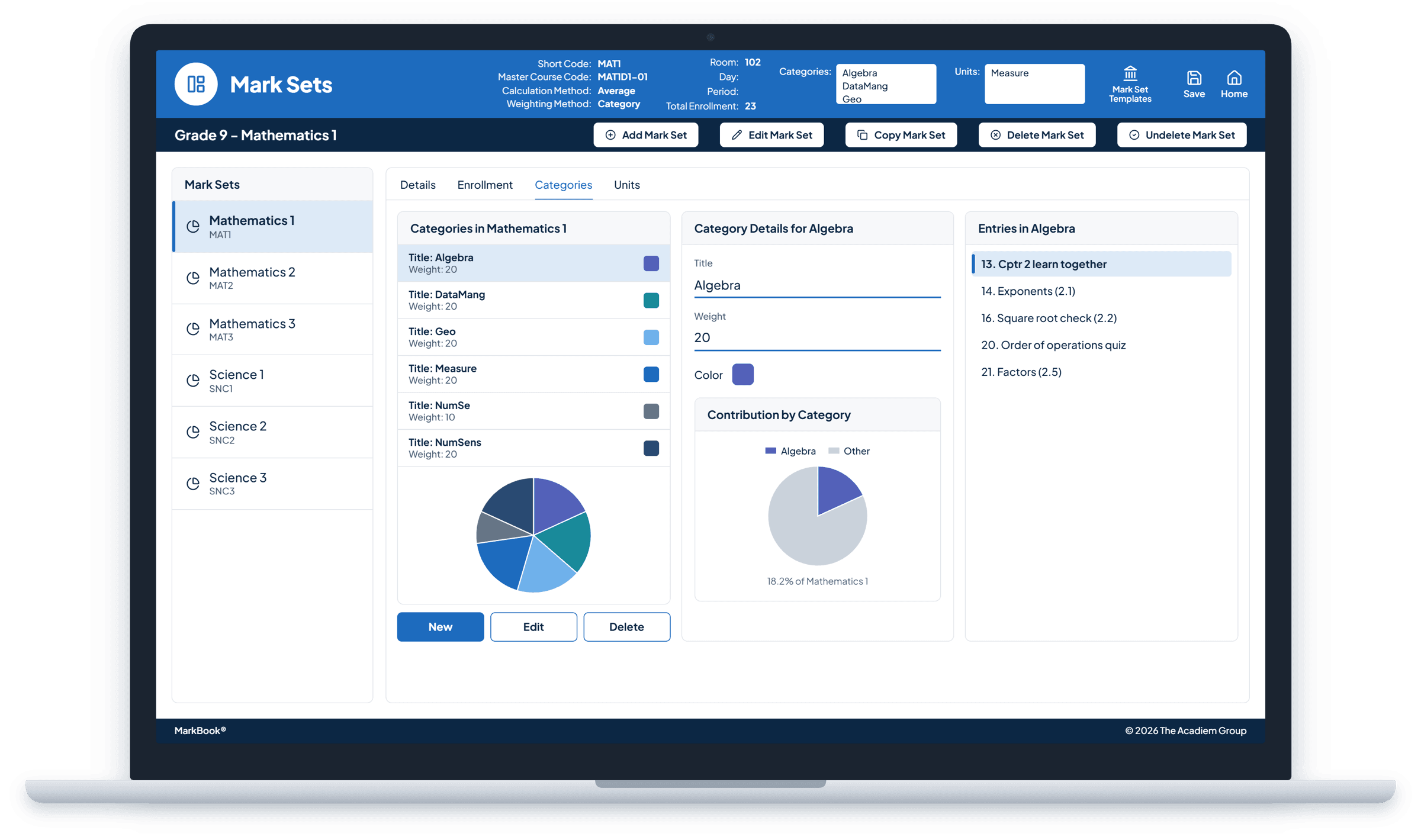
MarkBook Mark Sets on a laptop, with categories, category weights and pie charts illustrating weighting.

Teachers who choose MarkBook keep choosing it.

  • “I am a History teacher who has bought MarkBook for [myself] four years [running] I really like it and ...especially [at] parent-teacher meetings, I’ve got the big, bold, printouts! Thanks!”
    Steven R., U.S.A.
  • “I look forward to another year of fun in the classroom with MarkBook. This is the way it should be for all classroom teachers. You make it so easy to find the final grade. Thanks a million!”
    Harry G., U.S.A.
  • “‘Doe jey’! (That’s Thank You in Cantonese). More of us are using MarkBook every year because it has so many great features!”
    Candace W., Hong Kong
Get MarkBook®

Coming from a spreadsheet?

Keep the flexibility, lose the upkeep. No formulas to build, fix or maintain, and no spreadsheet cells to break. Plus reports, attendance and family sharing that a spreadsheet can’t give you.

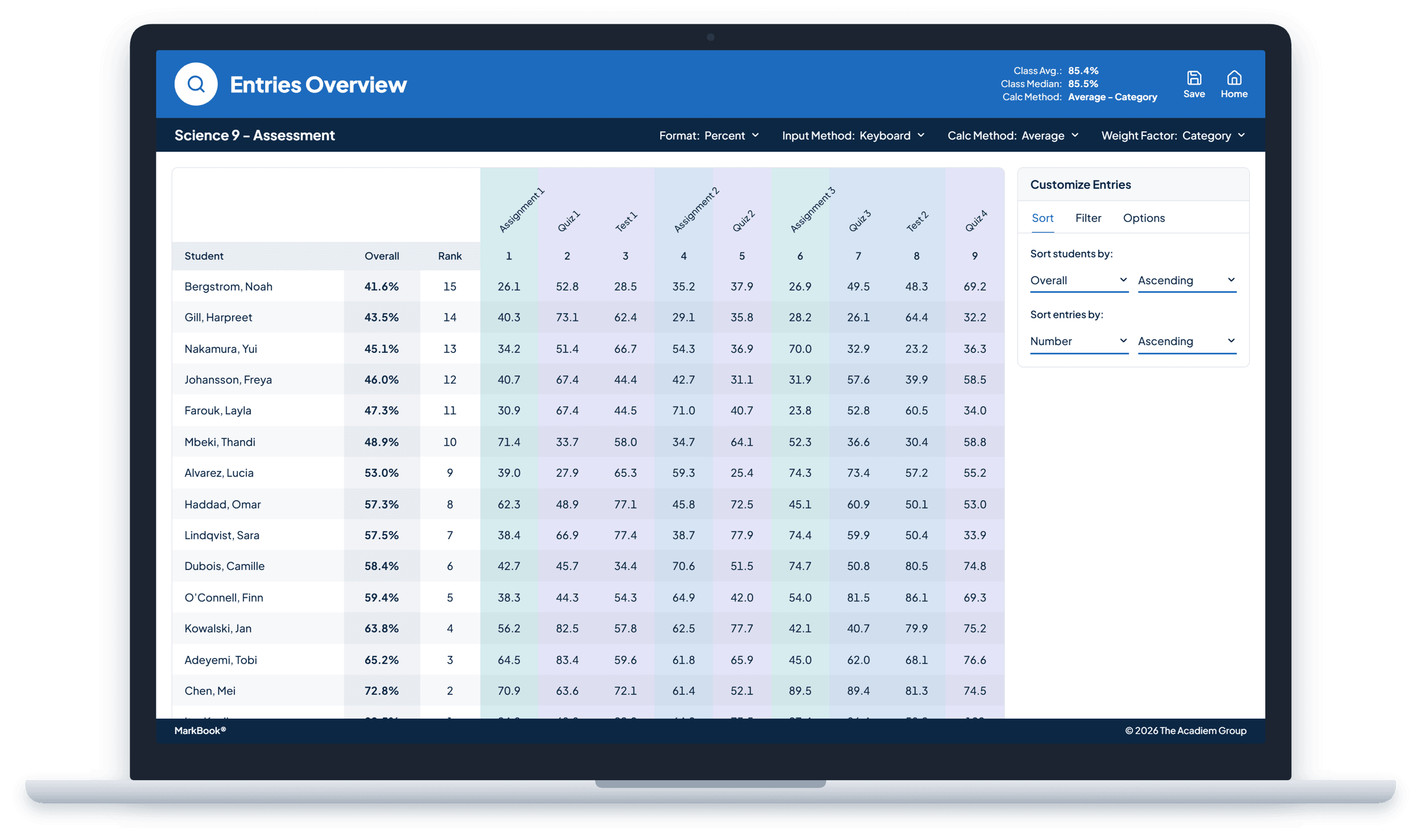
MarkBook entries overview on a laptop: a class gradebook with students in rows and colour-coded assessment columns.

Up and running before your next class.

  1. Step 1: Sign up

    Check out in a few minutes and your account is on its way.

  2. Step 2: Bring in your class

    Import your class list, or let Express Class set everything up for you.

  3. Step 3: Start grading

    Enter your first marks today. Fine-tune categories and weighting whenever you’re ready.

Nothing to install. Start any time of year, whenever your term begins.

Help when you want it. Support is included, from instant answers to a real person.

Questions teachers ask

Does MarkBook work with my school’s systems?

MarkBook works alongside the systems schools already use. You can import class lists from supported files, export class data as a CSV file and save reports as PDFs.

Will it work with the way my school grades?

MarkBook supports percentages, letter grades and achievement levels, with categories and weighting you configure to match your course and local requirements.

Can I start partway through the year?

Yes. Set up your classes in minutes and enter grades as you go.

Can students and families see their grades?

Only what you choose to share. MarkBook CONNECT gives the students and families you choose access to the grades and reports you publish. It isn’t a messaging tool.

Is my students’ information secure?

MarkBook’s application and database are hosted on Microsoft Azure, and information is encrypted at rest and in transit.

What if it’s not right for me?

Your first individual MarkBook purchase comes with a 30-day money-back guarantee. MarkBook for Windows licences are final sale once issued.

Choose more than a basic average.

Every feature included, on any computer or tablet.

MarkBook®Recommended

For teachers who want to work on any computer or tablet, with every feature included.

$40 per educator, per year

Get MarkBook®

30-day money-back guarantee on your first individual purchase · Renews annually unless cancelled before your renewal date

  • Traditional Grading and MarkBook Mastery
  • Powerful calculations, reporting and classroom tools
  • Share grades and reports online with MarkBook CONNECT
  • Works on any computer or tablet, including Mac
  • Automatic updates and backups
  • Support included
Explore MarkBook® →

Prefer an installed Windows app? Compare products →

Prices exclude applicable taxes.

Buying for 2 or more teachers? See school pricing →