
POWERFUL CALCULATIONS
See what a basic average can’t show you.
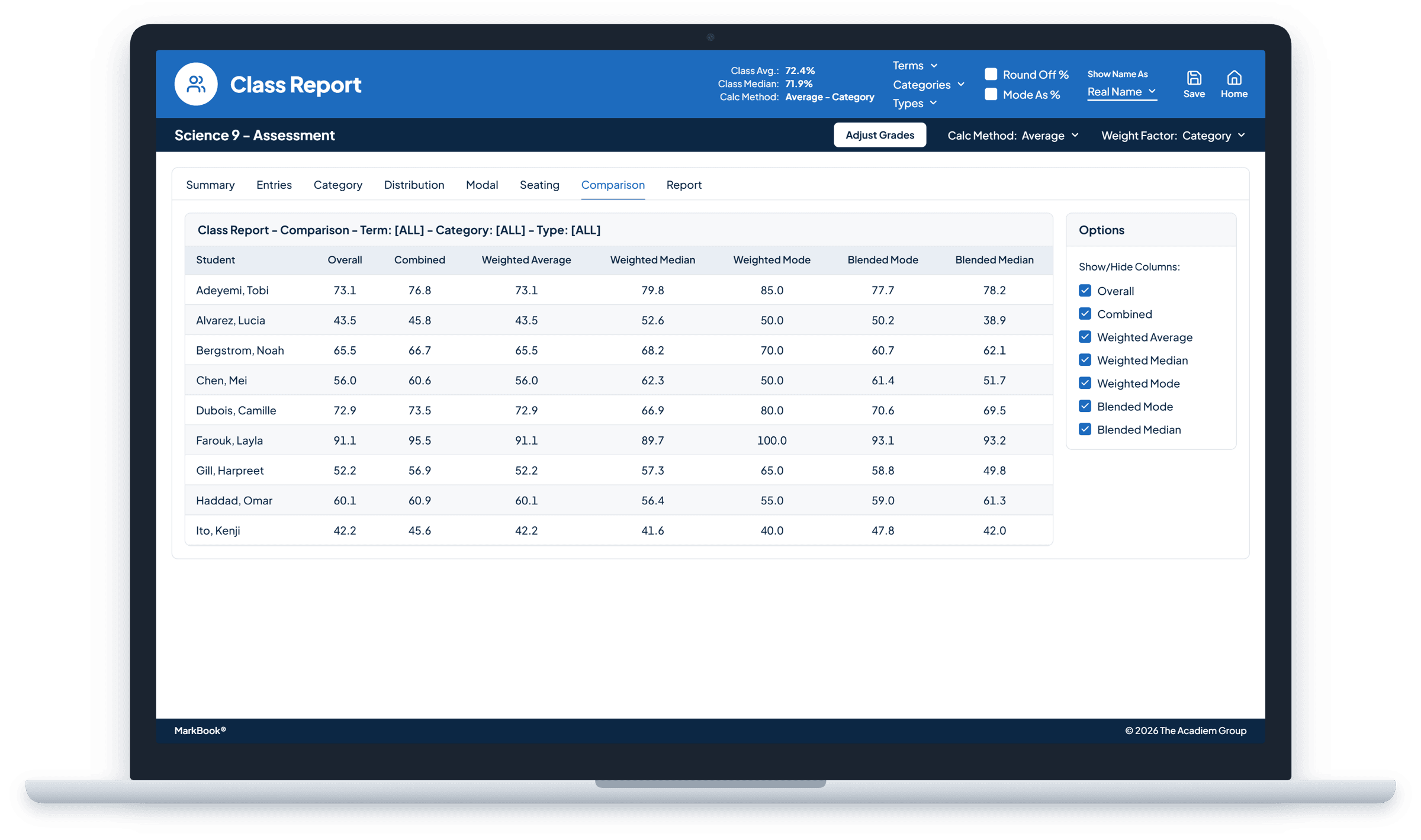
MarkBook® provides an unusually deep combination of weighting, median, consistency and blended calculation approaches. Compare them side by side, then make the call yourself.
Every final grade tells a story. Make sure it’s the right one.
One student stumbled in September and has been excelling ever since. Another has been steady all year, with one lucky result that lifts everything. On paper, they can end up with the same average. In the classroom, they’re in very different places.
An average can’t tell an early struggle from where a student is now, or one unusual result from a pattern. That’s why educators and assessment policies around the world are looking past the mean, toward the most consistent picture of learning, with recent growth given its due.
MarkBook was built for exactly that.
- 52%Sep
- 74%Oct
- 78%Nov
- 81%Dec
- 85%Jan
| Calculation | How MarkBook works it out | Result |
|---|---|---|
| Weighted average | Add the five marks and divide by five, since each counts equally: 370 ÷ 5. | 74% |
| Weighted median | Put the marks in order and take the middle one: 52, 74, 78, 81, 85. | 78% |
| Most Consistent Level | Sort the marks into levels. Level 3 (70–79%) and Level 4 (80–100%) each hold two marks, and a tie goes to the higher level. | Level 4 |
| Trend | Each mark is higher than the one before it. | Rising |
Same five marks, four different answers. MarkBook lays them side by side, and you decide which one tells this student’s story.
One student. Several perspectives. A clearer answer.
Every calculation answers a different question. MarkBook lets you ask them all.
Weighted average
What does everything add up to?
The familiar result, shaped by the weighting you choose.
Weighted median
What does the heart of the work say?
A steadier view that one unusually high or low result can’t swing, while still respecting what matters most.
Most Consistent Level
Where does this student perform, time and again?
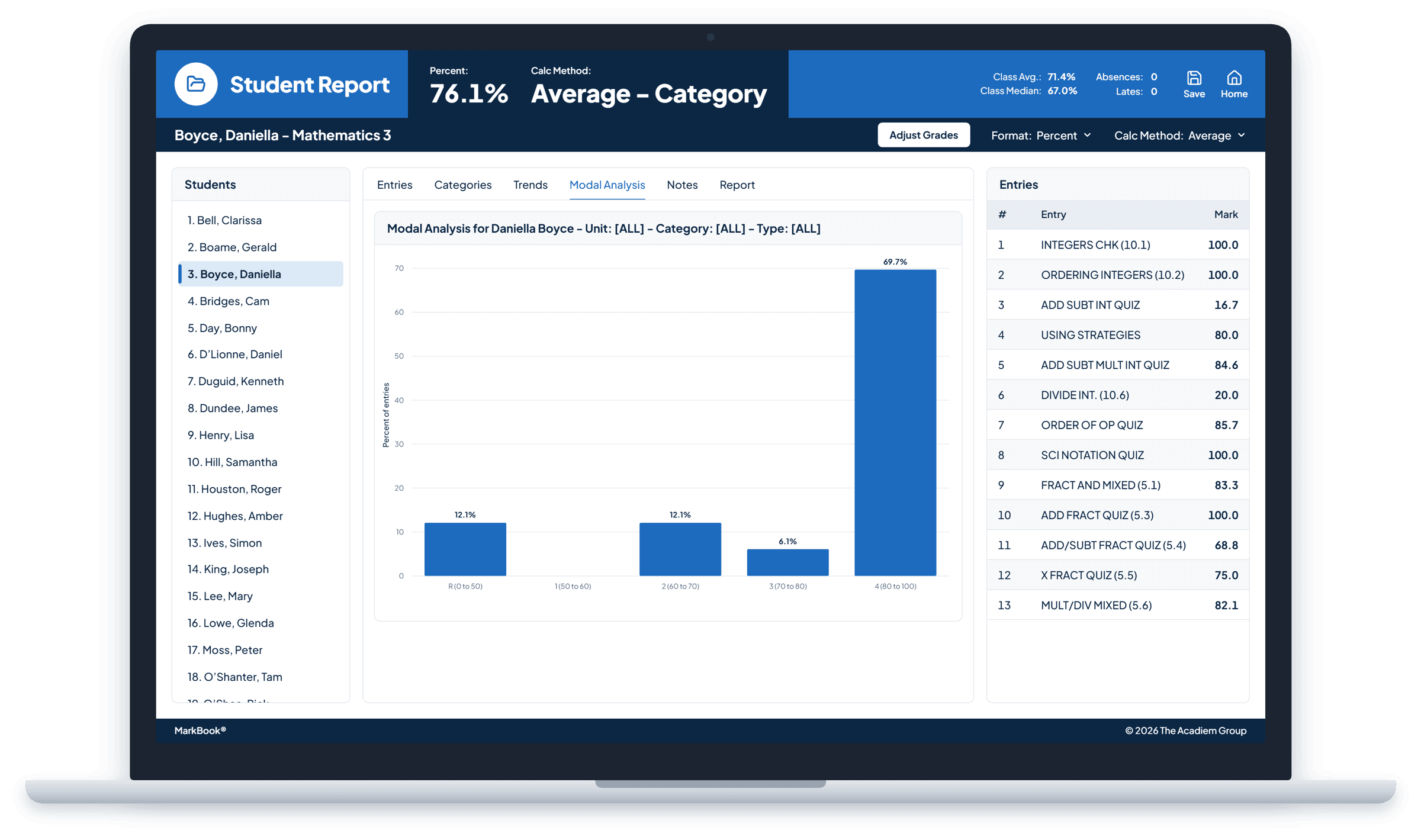
See the achievement level supported by the strongest body of work, not just the latest score or the loudest outlier.
Blended median and blended mode
What’s the picture across every part of the course?
See how a student performs within each category, from tests to projects, then bring it together using your weighting.
Trends
Where is this student heading?
Learning isn’t a straight line. See whether achievement is rising, holding steady or slipping, so recent growth always has a place in the decision.
You decide what counts, and how much.
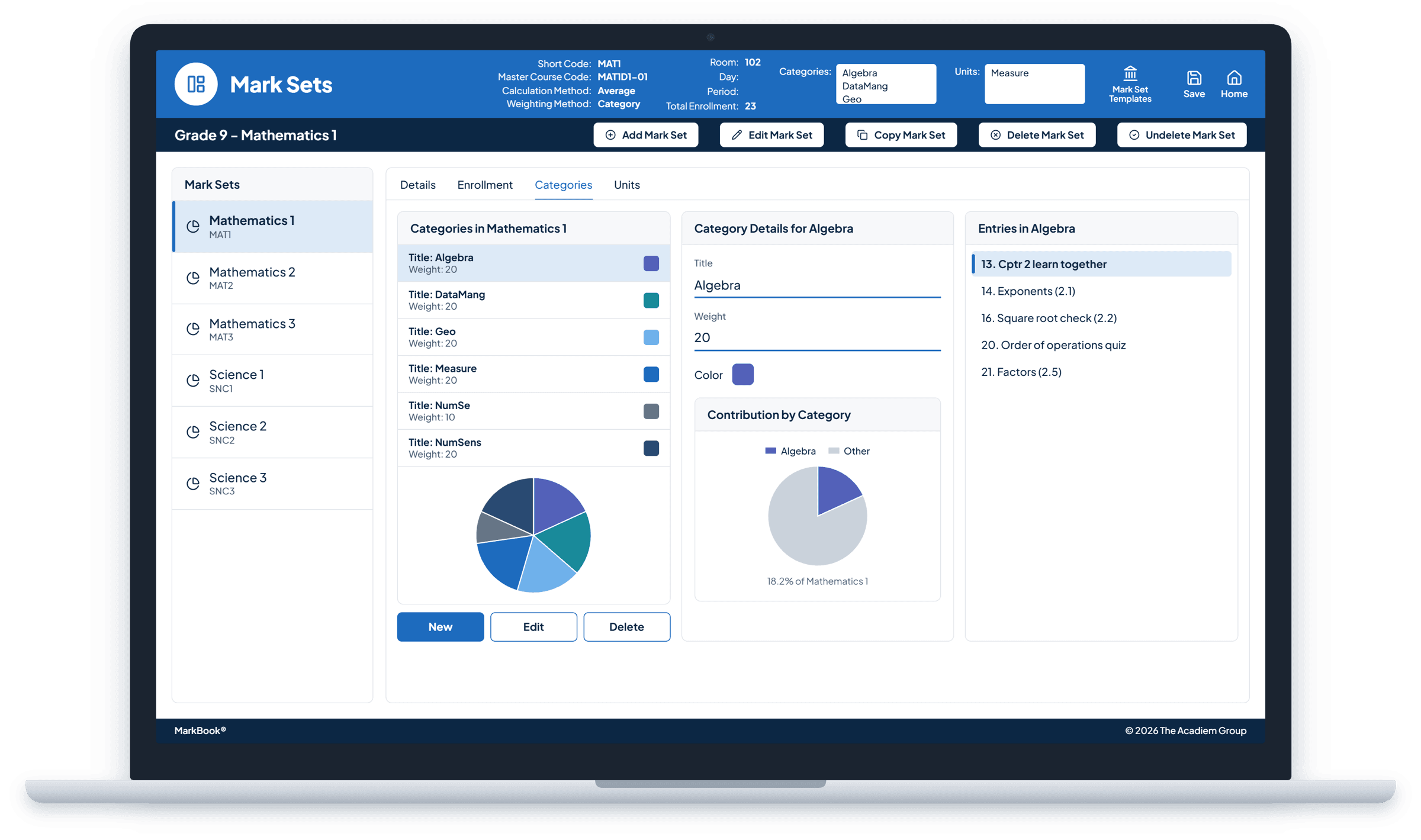
A final project isn’t a pop quiz, and a student’s latest work often says more than their first attempt. With MarkBook, your weighting reflects your priorities. Weight individual assessments, whole categories, or both. Give later work more influence so an early stumble doesn’t define a student’s year. Change your mind at any point, and every result updates instantly, with nothing lost.
“The weighting feature made it much easier to balance the courses. The feature of a number of assignments in each category was well received as well...”
Keep missing work from distorting the picture.
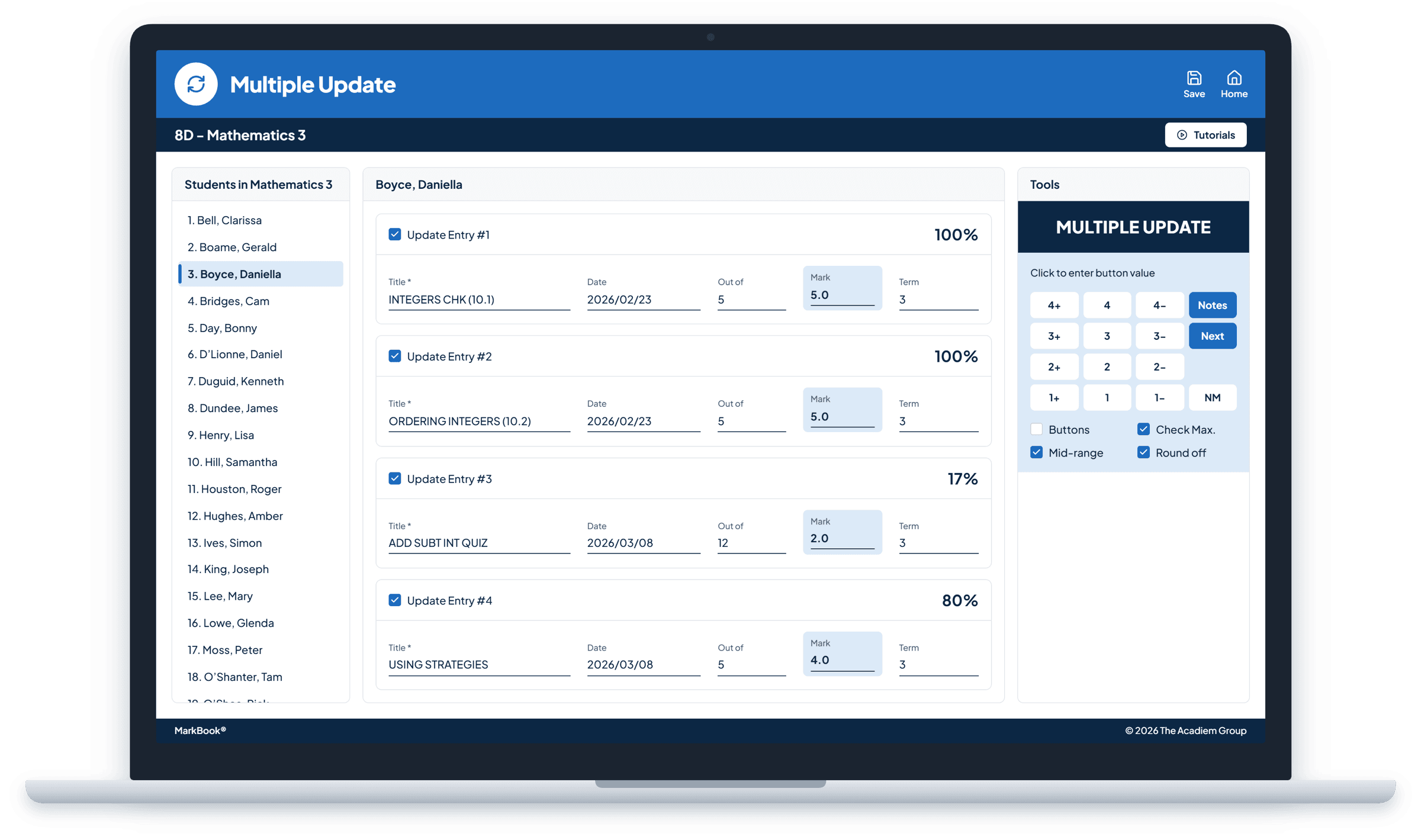
A missing assignment shouldn’t quietly count as a zero. Leave it blank or enter No Mark, and MarkBook leaves that assessment out for that student only, rebalancing their weighting so the result reflects the evidence they’ve actually shown. Add a short remark like “Late” or “Exempt” to keep the context, and when the work comes in, enter the mark and the result updates.
Fair to the student. Clear to everyone who reads the grade.
Look closer when it counts.
Some questions need a narrower lens. Focus on a single category, block or type of assessment, and see the part of the picture that matters for the decision in front of you.
- Grade on the work that counts. Look at summative results on their own, or set them beside formative practice before you decide.
- Find the strengths, and the gaps. See where a student shines and where they need more support.
Your structure, your policy. Shape MarkBook to fit your course, your school, and the assessment guidelines in your district, state, province or country.
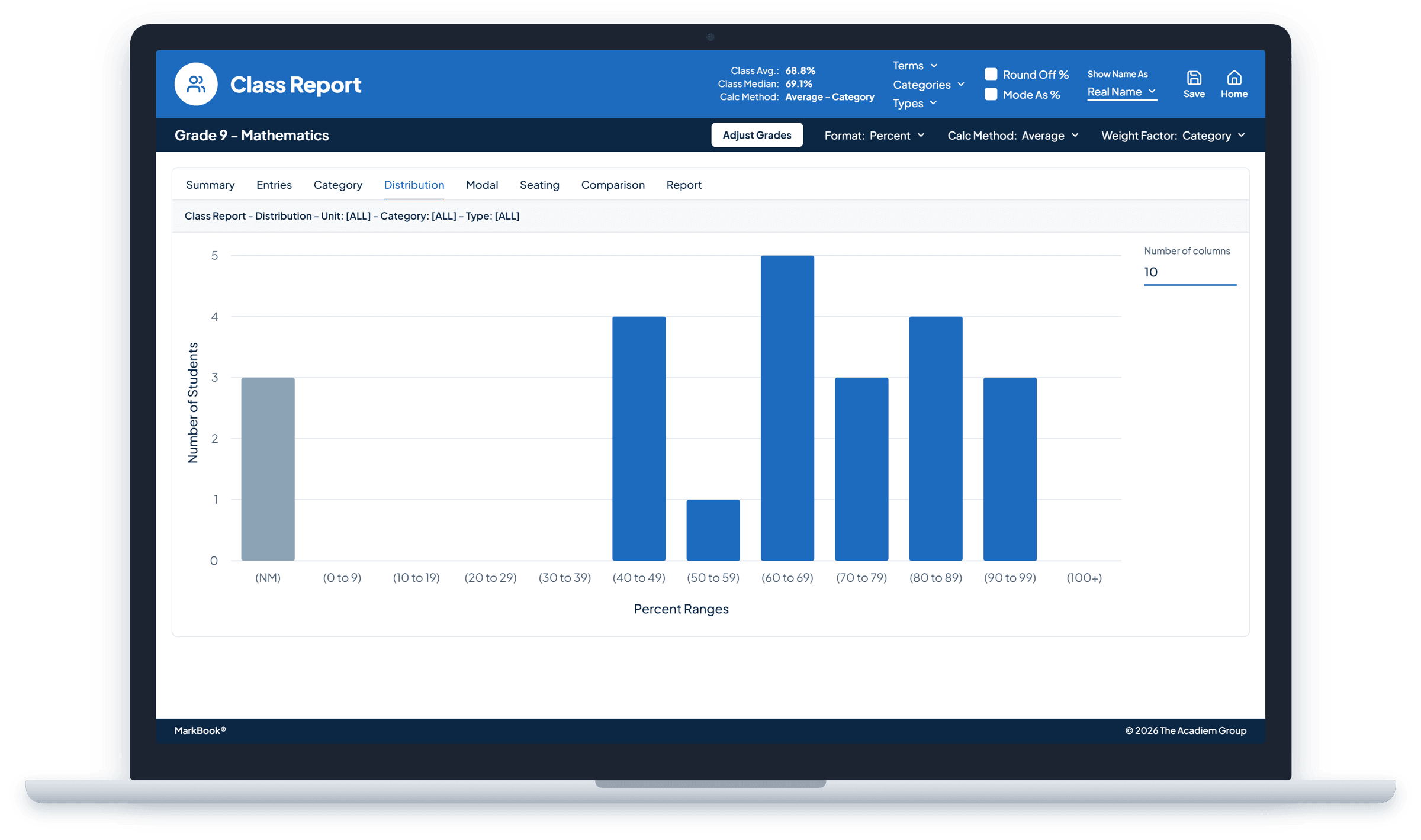
Powerful calculations. Educators decide.
No formula knows your students the way you do. MarkBook does the heavy lifting and lays the evidence out from every angle, so you can look for the most consistent achievement, recognize real growth and stand behind every final grade. And when your professional judgement says the number needs to change, you can adjust it.
MarkBook does the math. You decide what it means.
Shared understanding, without one rigid formula.
When every teacher can see achievement from more than one angle, conversations about grades get clearer. Departments align more easily, moderation has a common starting point, and families get answers grounded in evidence. MarkBook brings consistency to grading across classrooms while leaving room for every educator’s professional judgement.
Bringing MarkBook to your school or organization? Solutions →
Frequently asked questions
What’s the difference between mean, median and mode in grading?
The mean adds every result and divides by the number of results. The median is the middle result, so extremes have less pull. The mode is the result that appears most often. In MarkBook, these become the weighted average, weighted median and Most Consistent Level (Mode), and each one respects your weighting.
What is Most Consistent Level (Mode)?
MarkBook sorts a student’s results into your achievement levels and shows the level with the greatest weight of work behind it. When every assessment counts equally, that’s the level they reach most often. Ties go to the higher level.
Can students reassess or retake an assessment?
Yes. Add the retake as a new assessment, then enter No Mark on the first attempt for that student. MarkBook leaves the first attempt out of their result and rebalances their weighting, so the grade reflects what they can do now. Both attempts stay visible. Students who didn’t retake simply get No Mark on the retake. In MarkBook Mastery, every attempt is recorded in order, and the outcome reflects the highest level the student has reached, so earlier attempts don’t hold them back.
Do my weights need to add up to 100?
No. Use whatever values make sense to you, and MarkBook works out the proportions.
Does MarkBook support standards-based or outcomes-based grading?
Yes. MarkBook Mastery measures growth across skills, standards and learning outcomes.
See more than one final number.
Give every student a grade that tells their whole story.