
REPORTING
Reports that explain the grade, not just state it.
Turn assessment evidence into feedback people can understand. MarkBook® brings results, progress, learning behaviours, comments and clear graphs together in reports that students and families actually use.
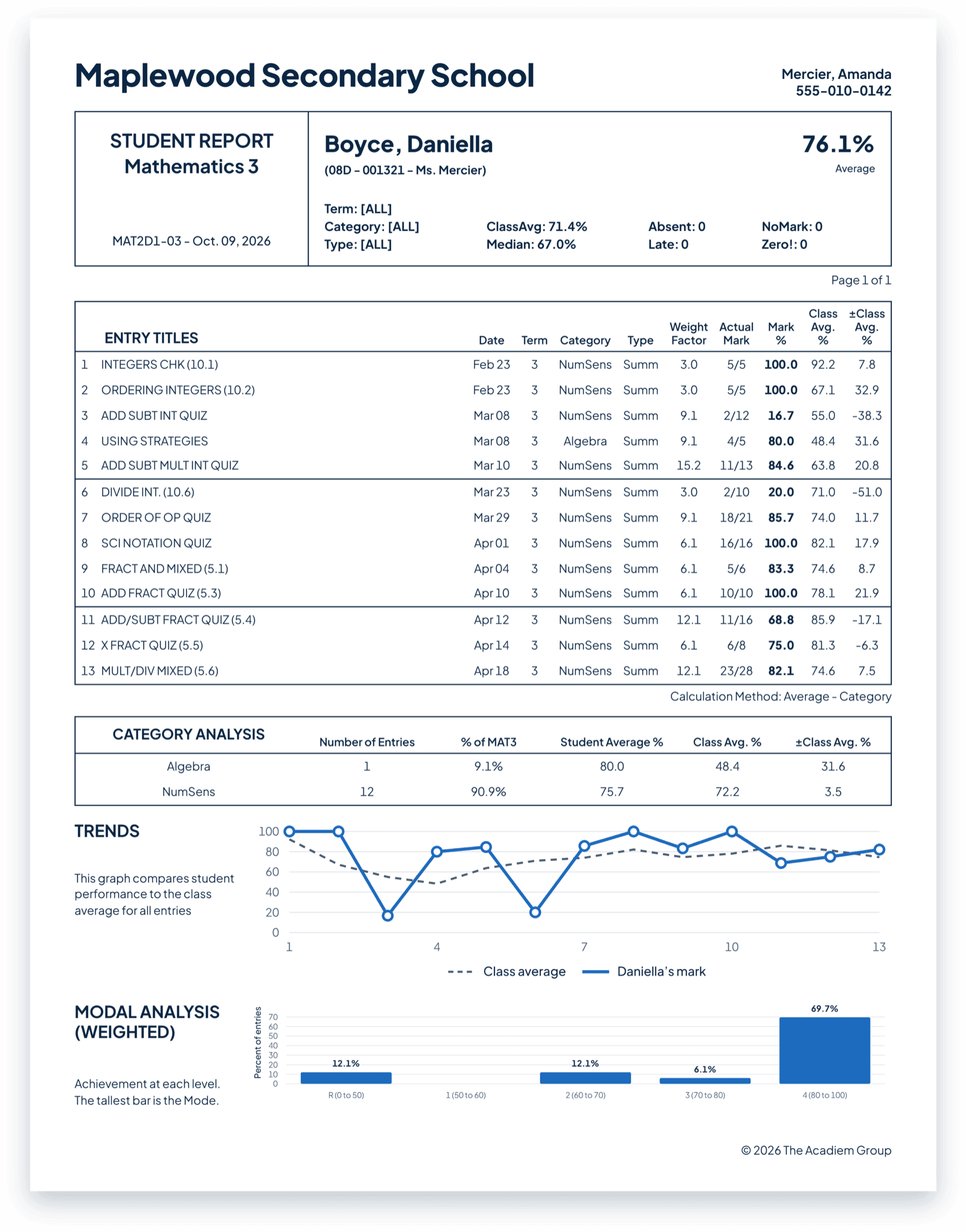
A letter on a page leaves everyone guessing.
Is a B steady progress, or a strong start that’s slipping? Is it a gap in one skill, or missing work dragging everything down? When a report shows only the grade, students don’t know what to work on, families don’t know what to ask, and the conversation starts from confusion.
Research shows how wide that gap can be. In a 2023 U.S. survey, nine in 10 parents believed their child was at or above grade level in reading and math, while national testing showed far fewer were. (Gallup and Learning Heroes, 2023)
A grade is only the start. MarkBook reports the evidence.
Because MarkBook reports come straight from its calculation engine, they show far more than a single grade: results by category, progress over time, and the level a student reaches most consistently, all with clear graphs. Learning behaviours and work habits are reported on their own, so effort and achievement are never blurred together. You choose exactly what each report includes, from a quick family update to a full end-of-term report.
Three reports, every conversation covered
- Student Reports: one student’s full picture, ready for interim reports, conferences and family conversations.
- Class Reports: clear summaries of how the whole class is doing, for planning and department meetings.
- Combined Reports: several Mark Sets brought together, for courses with separate components or subjects.
Spend your time on the words that matter, not the paperwork.
Your marks, learning behaviours and attendance are already in MarkBook, so reports are ready when you are. Choose your whole class, one student, a range or a hand-picked group. Then print the reports, save them as a single PDF or a separate PDF for each student, or email each one straight to the student, their family, or both.
Teaching secondary school in Ontario? Where your board uses a supported Aspen or Trillium workflow, MarkBook can prepare grades, learning skills and comments for the provincial report card through a file-based export. Talk to Our Team to confirm your board’s workflow.
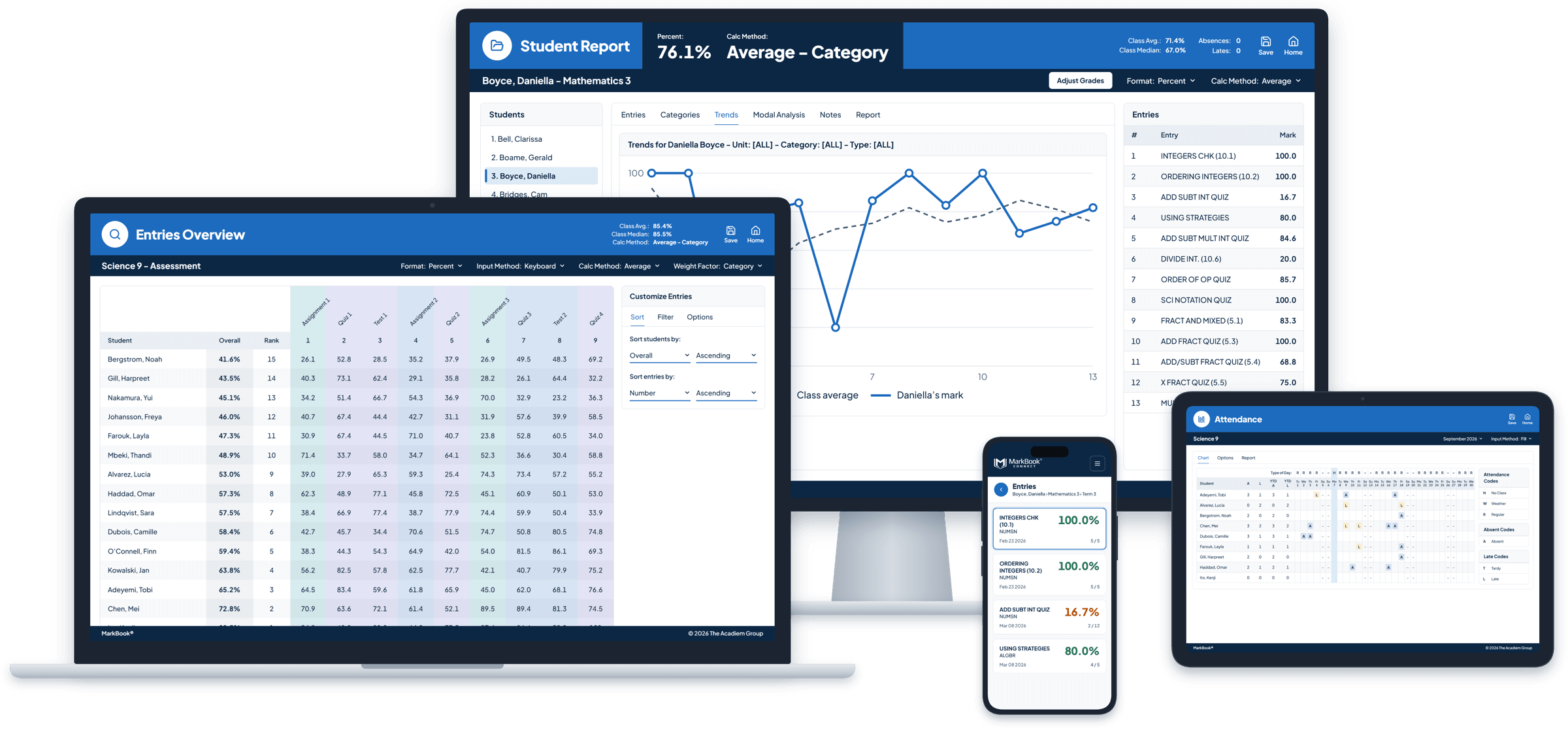
Write comments faster, without sounding like a machine.
MarkBook’s extensive comment library gives you a head start with clear, consistent language for strengths, concerns and next steps. Then make each one personal. Every comment is yours to choose and edit, because families can tell when a report was written by someone who knows their child.
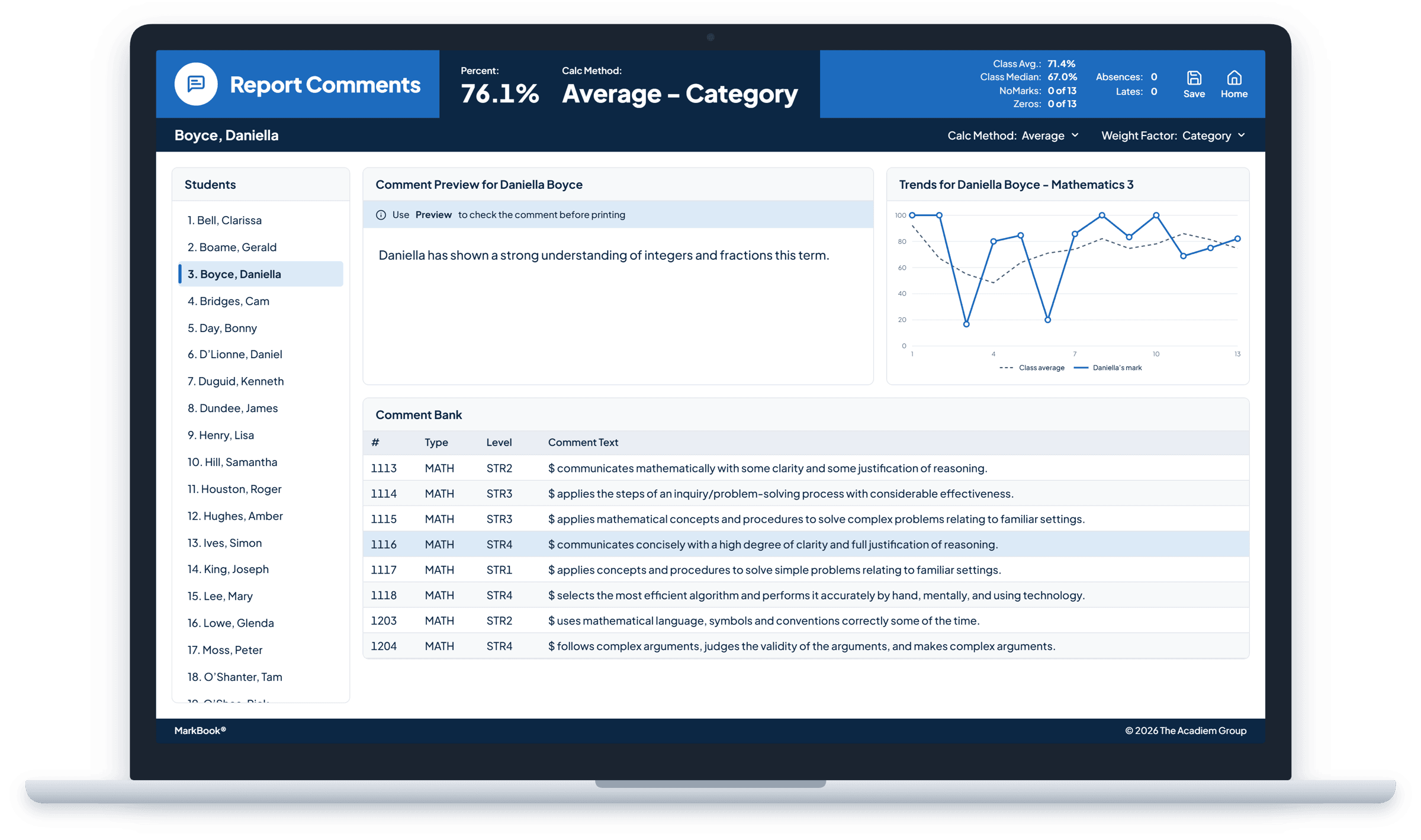
Show progress at a glance.
A trend line says more than a paragraph. Graphs show how achievement has changed over time and how a student is doing in each category, so families see the pattern immediately and conversations move straight to what comes next.
“Our parents now insist on interim reports with the graph. It’s astonishing how fast their standards and expectations change! You really raised the bar on report cards.”
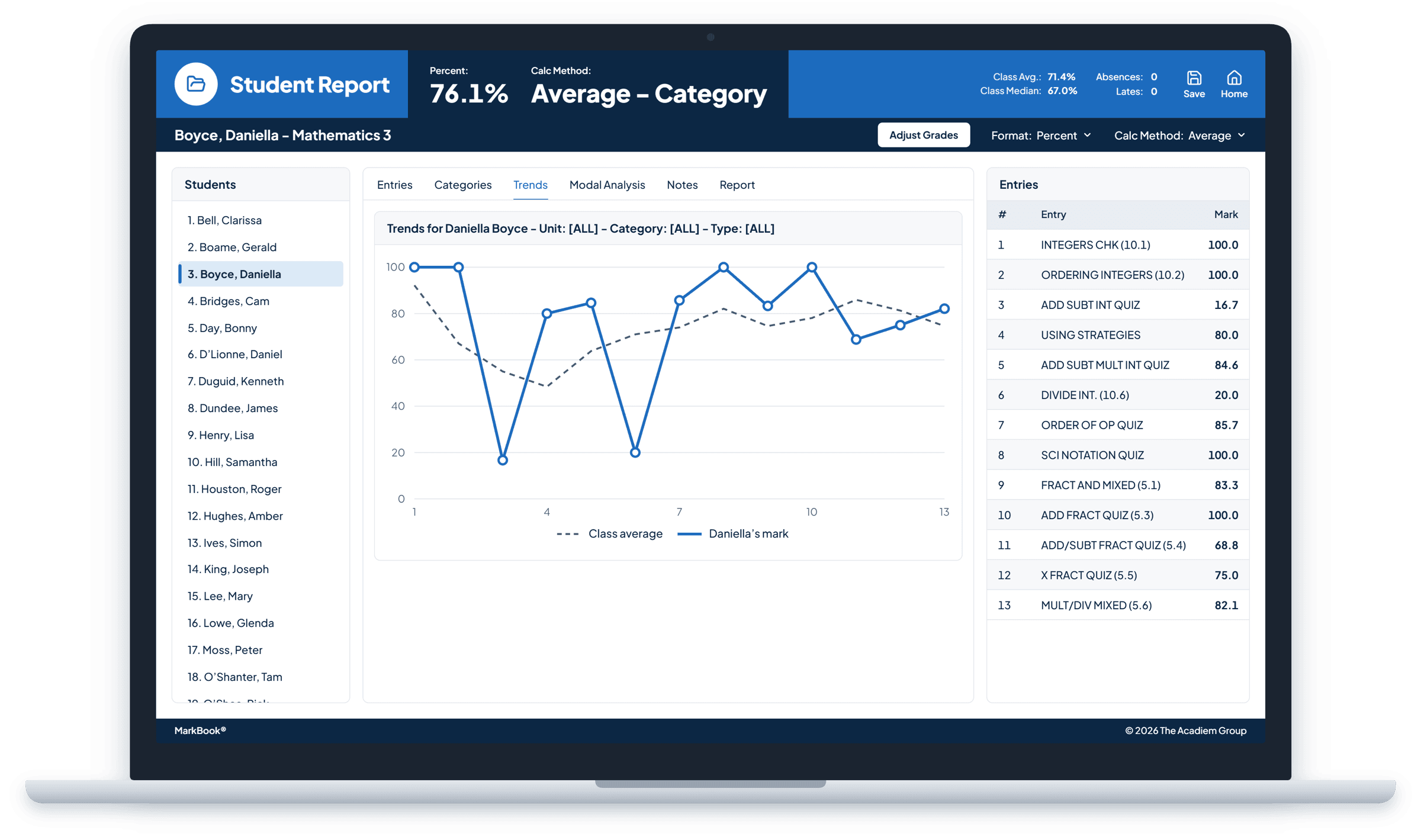
Let the evidence answer.
When a student or family asks how a grade was reached, a MarkBook report shows them: the results, the categories, the weighting and the pattern over time. Questions become conversations about learning, not debates about a number, and you can stand behind every grade with confidence.
Feedback that tells students where to go next.
A report isn’t just for families. When students can see their strengths, their gaps and how they’ve grown, they can set goals and take ownership of what comes next. MarkBook reports are made for student conferences, goal-setting conversations and student-led conferences.
Report on skills, outcome by outcome.
In MarkBook Mastery, the Records Overview shows where each student stands on every table and outcome, with a clear chart you can save as a PDF for each student. Each table’s overall grade also flows into your Student Reports, so you can still print, save and email reports for the whole class.
Explore Marks & Mastery →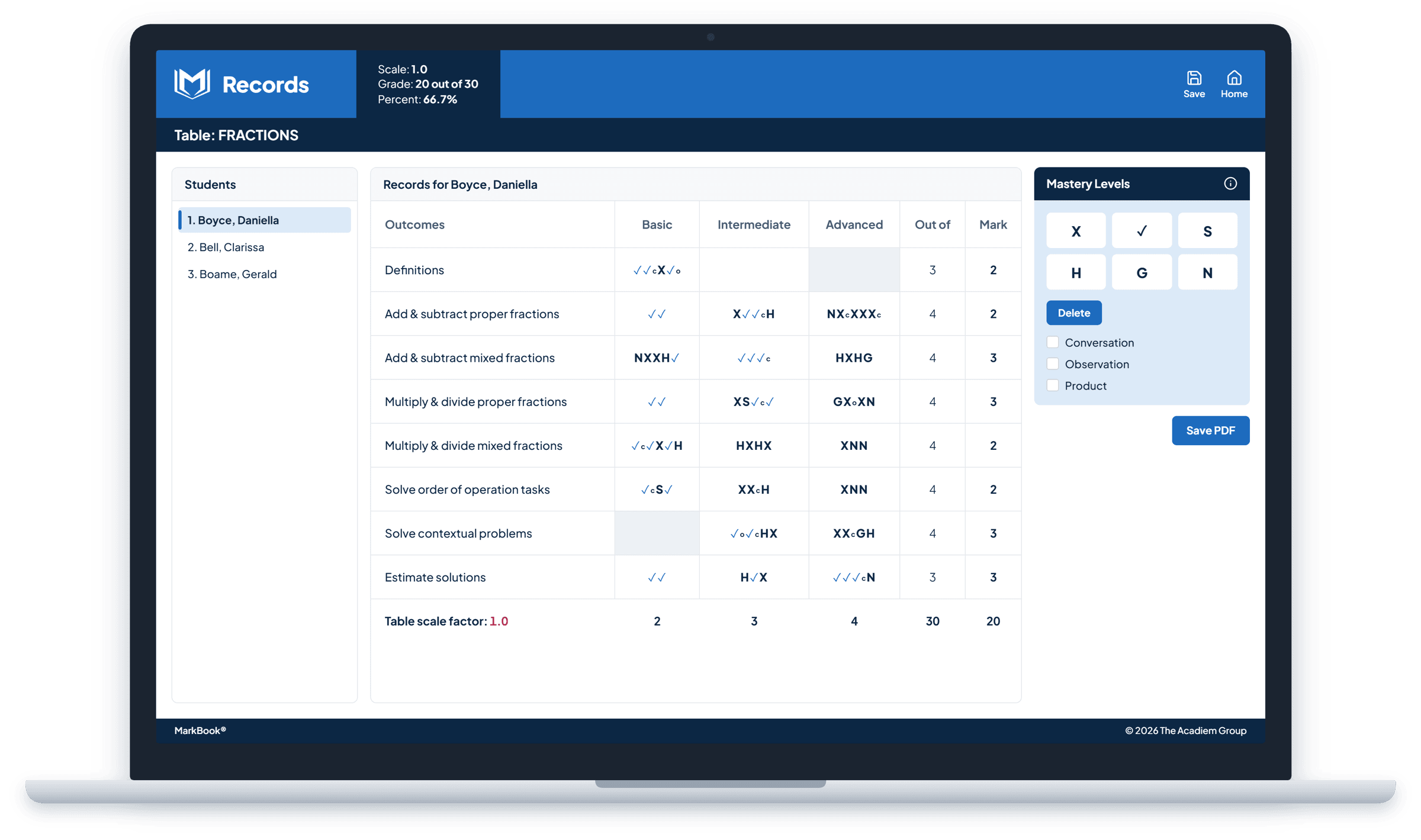
Consistent, professional reporting from every classroom.
When every teacher uses the same reporting tools, families get a clear, consistent experience across every classroom, and conferences and student-support meetings start from the same evidence.
Want families to see progress any time, not just when a report arrives? Explore Student & Family Access →
Frequently asked questions
Does MarkBook write report comments for me?
No. MarkBook’s extensive comment library gives you a strong starting point, but every comment is chosen and edited by you.
Can MarkBook fill in our official report cards?
If you teach secondary school in Ontario and your board uses a supported Aspen or Trillium workflow, MarkBook can prepare grades, learning skills and comments for the provincial report card through a file-based export. Talk to Our Team to confirm your board’s workflow. Every report can also be printed, saved as a PDF or emailed.
Does reporting work with MarkBook Mastery?
Yes. The Records Overview reports results by table and outcome for each student, and each table’s overall grade appears in your Student Reports. Through MarkBook CONNECT, families see each table’s overall grade, not the outcome-by-outcome detail.
Can families see reports online?
Yes, through MarkBook CONNECT. You choose when to share them.
Reports families read, and understand.
Clearer evidence leads to better conversations about learning.