
STUDENT & FAMILY ACCESS
Keep families informed, on your terms.
MarkBook CONNECT, included with MarkBook®, gives teachers a secure way to share grades and reports online with students and families. You decide when to share and who can see it, so everyone stays informed and you stay in control.
Are you a student or parent looking to log in? Students & Families →
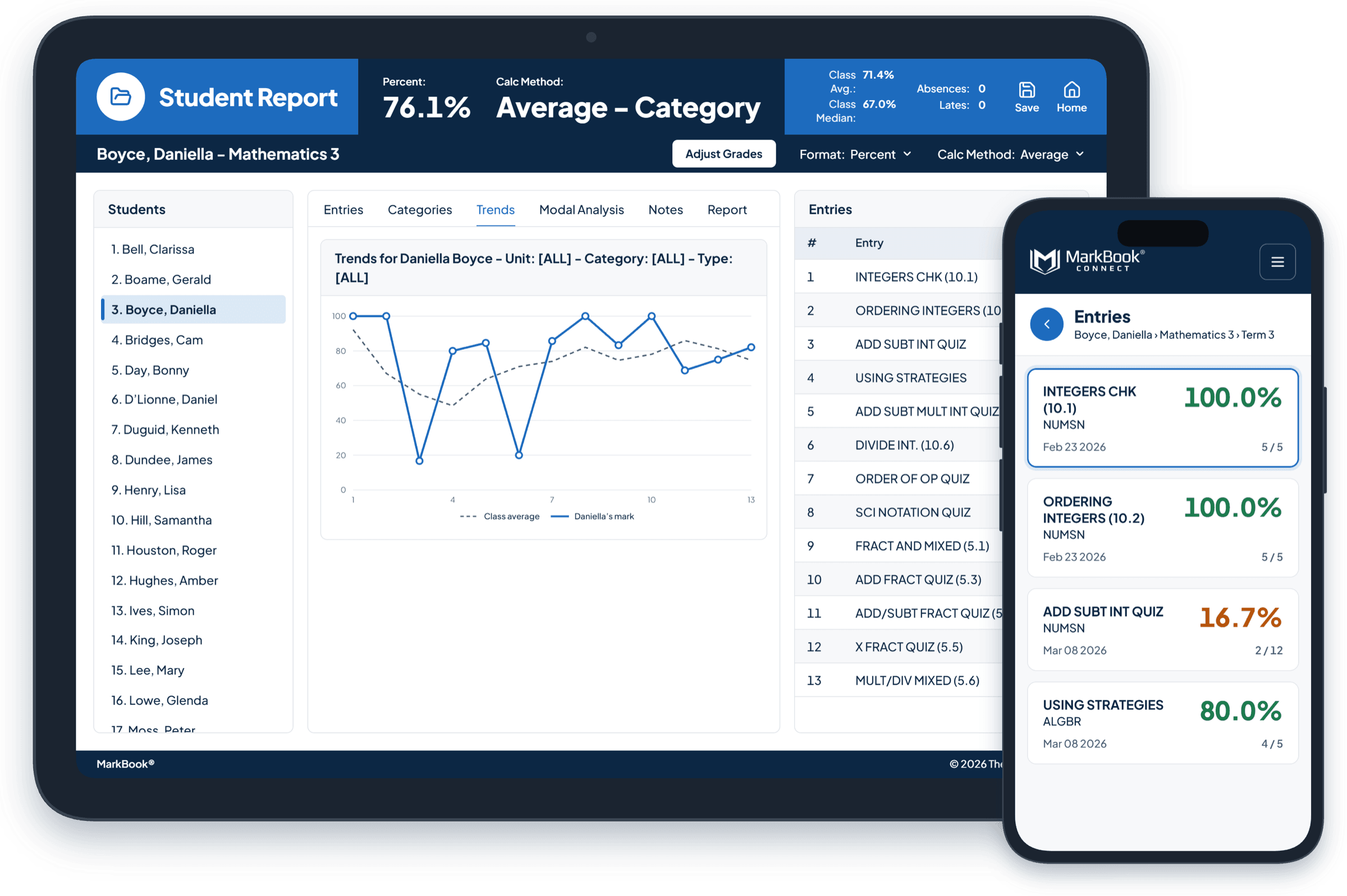
Families deserve better than silence or a stream of numbers.
Some families hear nothing until the report card arrives, when it’s too late to help. Others watch every mark appear the moment it’s typed. A single low score, even a typo, can cause panic before anyone knows the story behind it.
Neither helps students learn. MarkBook CONNECT takes a better path: share progress regularly, when you’re ready, with the reports that explain it.
Share when it’s ready, not the moment it’s typed.
Nothing goes out when you save a mark. Families see new information only when you choose to send it. Pick the students, decide whether to include their full reports, and confirm before anything is published. You set the rhythm, whether that’s weekly, after each unit or before conferences.
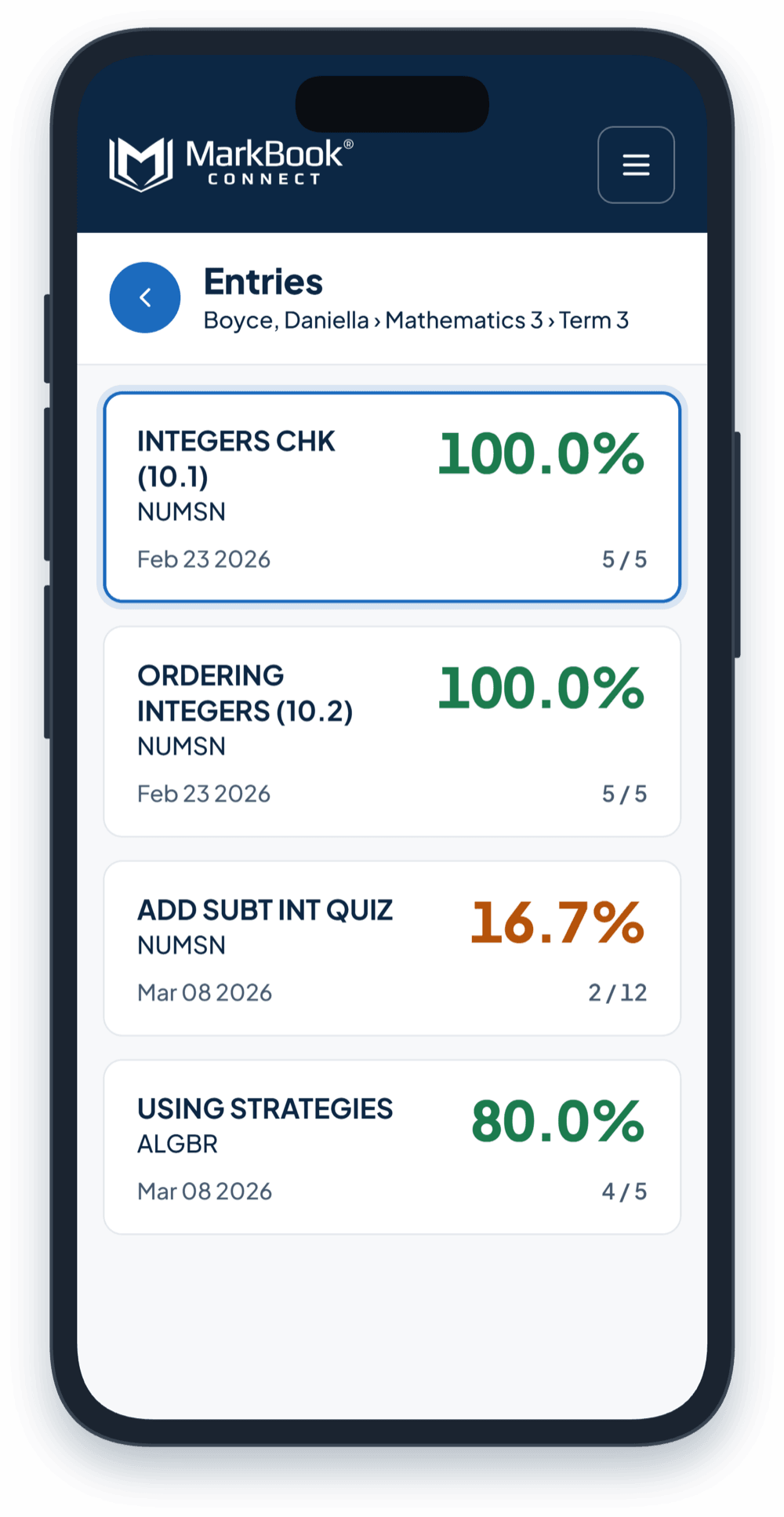
Share the evidence behind the grade.
Families don’t just see a mark. They see what each assessment was, when it happened, which category it belongs to and any short remark, like “Late” or “Missing.” Include Student and Combined Reports, and they get the full picture: graphs, category results, and everything else you’ve chosen to put in your reports.
Explore Reporting →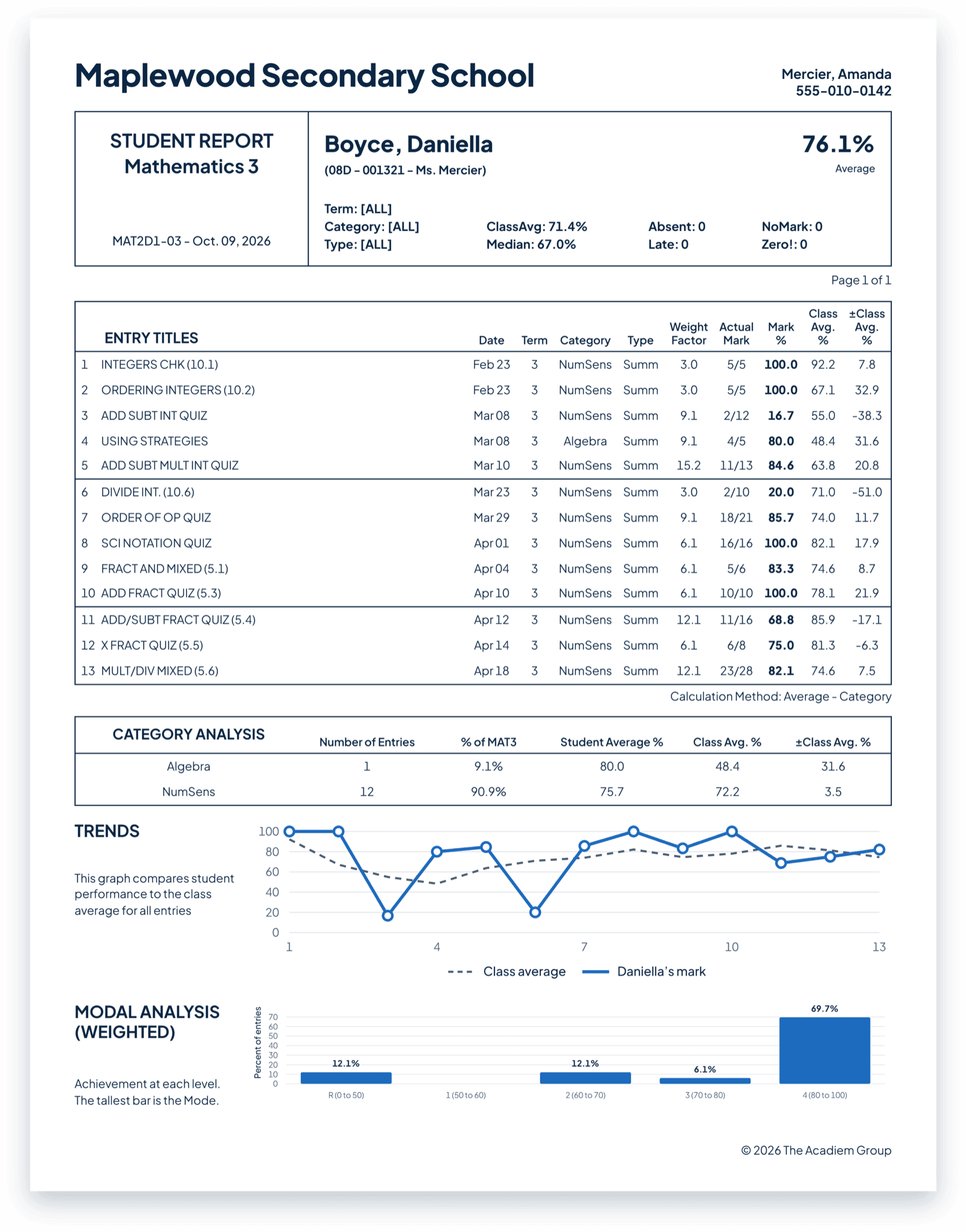
When students can see their progress, they own it.
With MarkBook CONNECT, students can check where they stand, recognize their strengths and spot what needs work, without waiting to be told. They arrive at conversations with better questions and take a more active role in their own learning.
Families come to conversations informed, not surprised.
When families can see progress as it develops, conferences start from shared understanding instead of first impressions. They know what to celebrate, what to ask about and how to help at home.
“[I received] extremely positive comments from parents, students, and especially staff... thanks very much for all your hard work to make the program so user friendly.”
No inbox. No 10 p.m. messages.
MarkBook CONNECT is intentionally focused on sharing grades and reports. It isn’t a chat or messaging app, so it won’t add another inbox to manage or another channel that expects an instant reply. Meaningful conversations still happen where they belong: directly between students, families and educators.
No app to download. Nothing to install.
Families start with sign-up instructions from you, by email or on a printed slip. From there, they log in through any modern web browser, on a phone, tablet or computer. There’s nothing to install, and they see only the students they’re connected to.
Built to protect student information.
Access is only through a sign-up code from you, and is protected by a password. Families see only the students they’re connected to, and only what you’ve sent. MarkBook’s application and database are hosted on Microsoft Azure, and information is encrypted at rest and in transit.
A consistent, secure way for every classroom to keep families informed.
When every teacher shares progress the same way, families get a clear, consistent experience across classrooms and fewer surprises at report-card time. Teachers stay in control of when information is shared, and student information stays private and secure.
Bringing MarkBook to your organization? Solutions →
Frequently asked questions
Is MarkBook CONNECT included with MarkBook?
Yes. MarkBook CONNECT is included with MarkBook at no extra cost. It isn’t available in MarkBook for Windows.
Can I add a personal note when I publish?
Not directly. To share context, include the student’s report, which carries everything you’ve set in your report options.
Does MarkBook CONNECT work with MarkBook Mastery?
Yes. When you send a MarkBook Mastery class to MarkBook CONNECT, families see each table’s name, overall grade and percentage, and any Student Report or Scaled Report PDFs you choose to attach. They don’t see individual outcomes, attempts or observation levels.
Informed families. Fewer surprises.
Share progress when it’s ready, with the reports that explain it, and keep the conversation going.