
CLASSROOM MANAGEMENT
Run your class from the same place you grade it.
Attendance, seating plans, student photos, notes, learning behaviours and marks, together in one place. MarkBook® keeps classroom context close to the evidence, so everything you need is in one place.
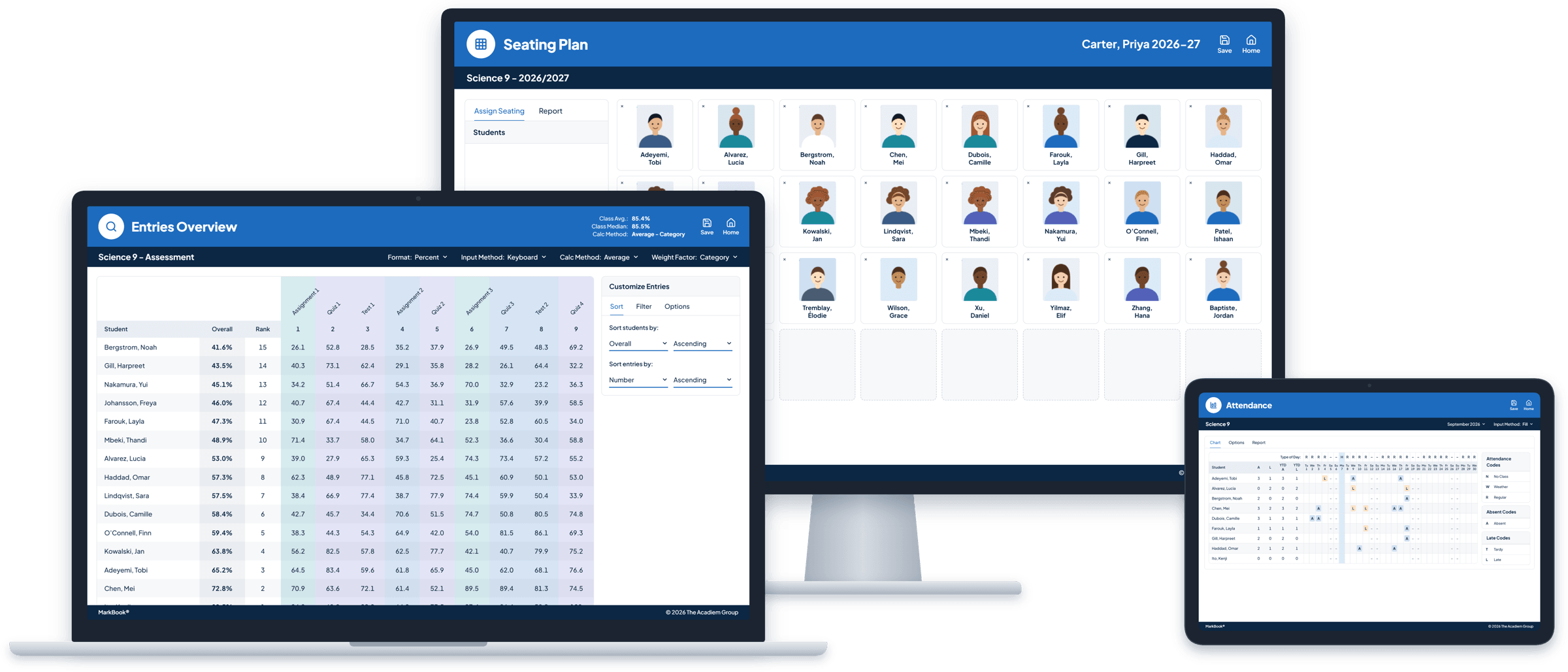
One class. Five different places to look.
Attendance lives in one system. The seating plan is a printout. Notes are on sticky notes or in a notebook. Marks are in a spreadsheet, and missing work is somewhere in your head. When a student starts to struggle, the clues are scattered across all of them.
MarkBook brings them together. Everything you need to run your class sits right beside the assessment work, so the full picture is always one click away.
Ready for your first class, and every class after.
Create a class in moments with Express Class, or import your student list from a standard file exported from your school’s student information system. Set up your categories and assessments once, and MarkBook is ready to go, on any computer or tablet, with nothing to install.
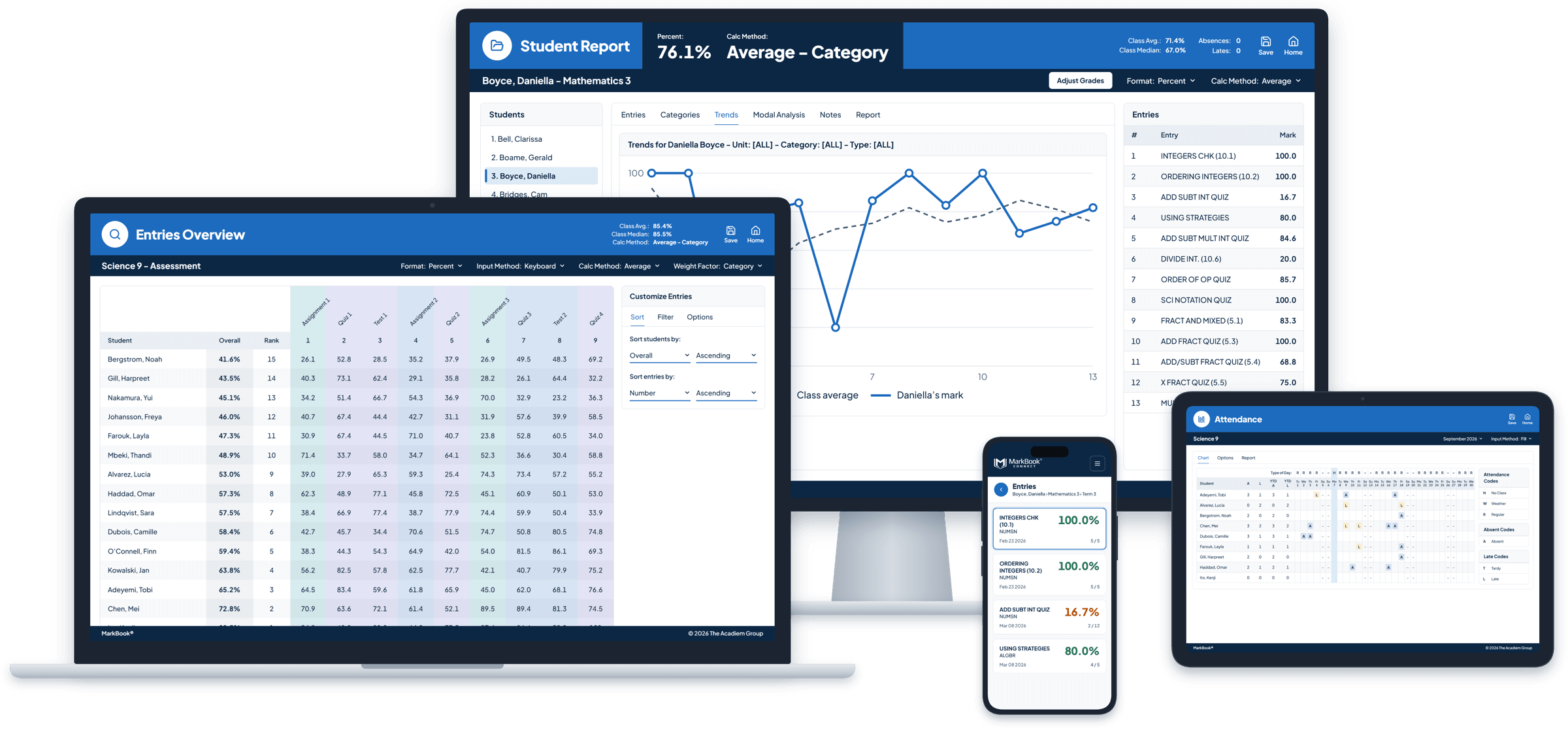
Grade entry that keeps up with you.
Enter results in a familiar spreadsheet-style grid, or enter one mark for many students at once. Add a short remark like “Late,” “Absent” or “Exempt” to keep the context, or enter No Mark, so a missing assignment never quietly counts as a zero. Every calculation updates as you go.
Explore Powerful Calculations →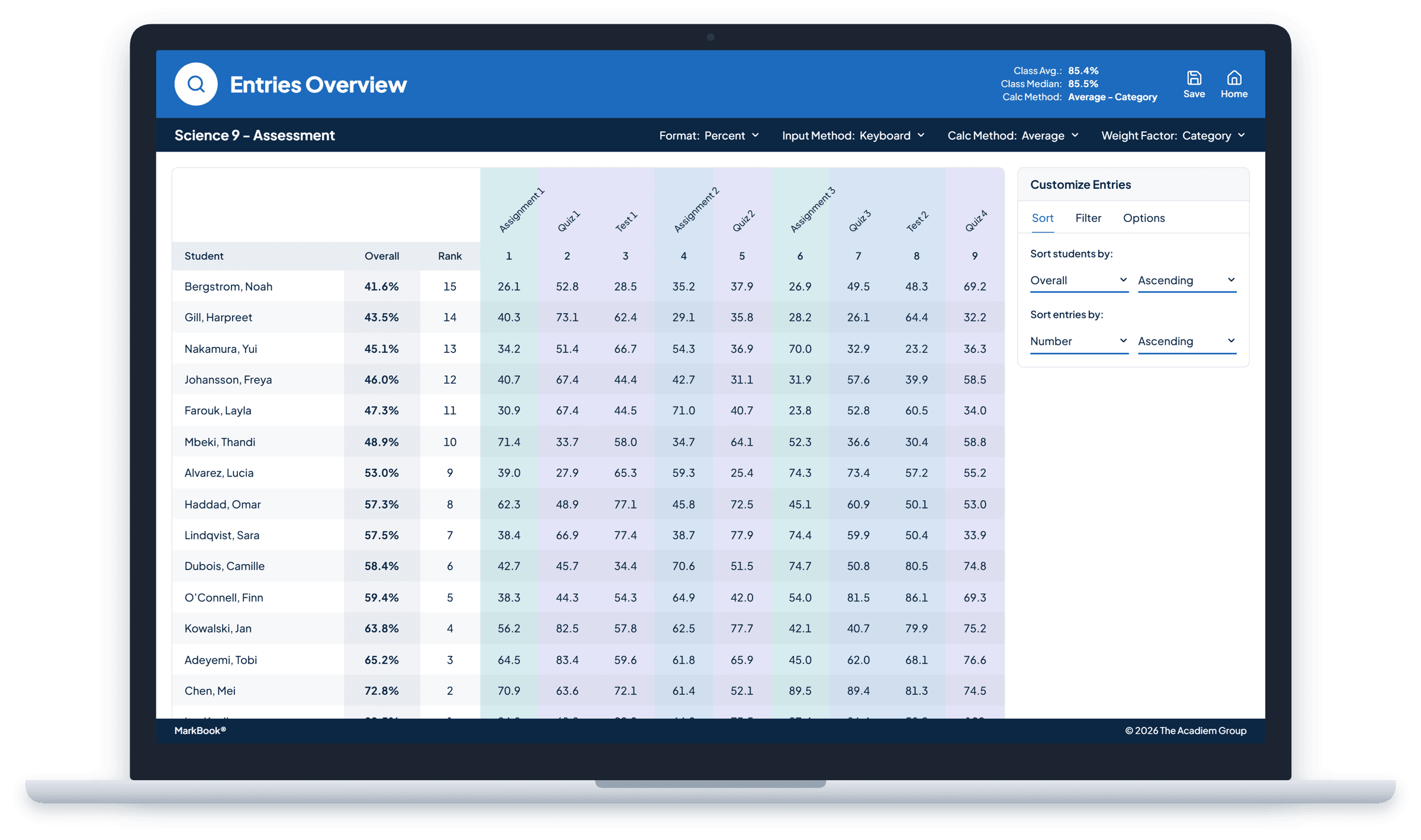
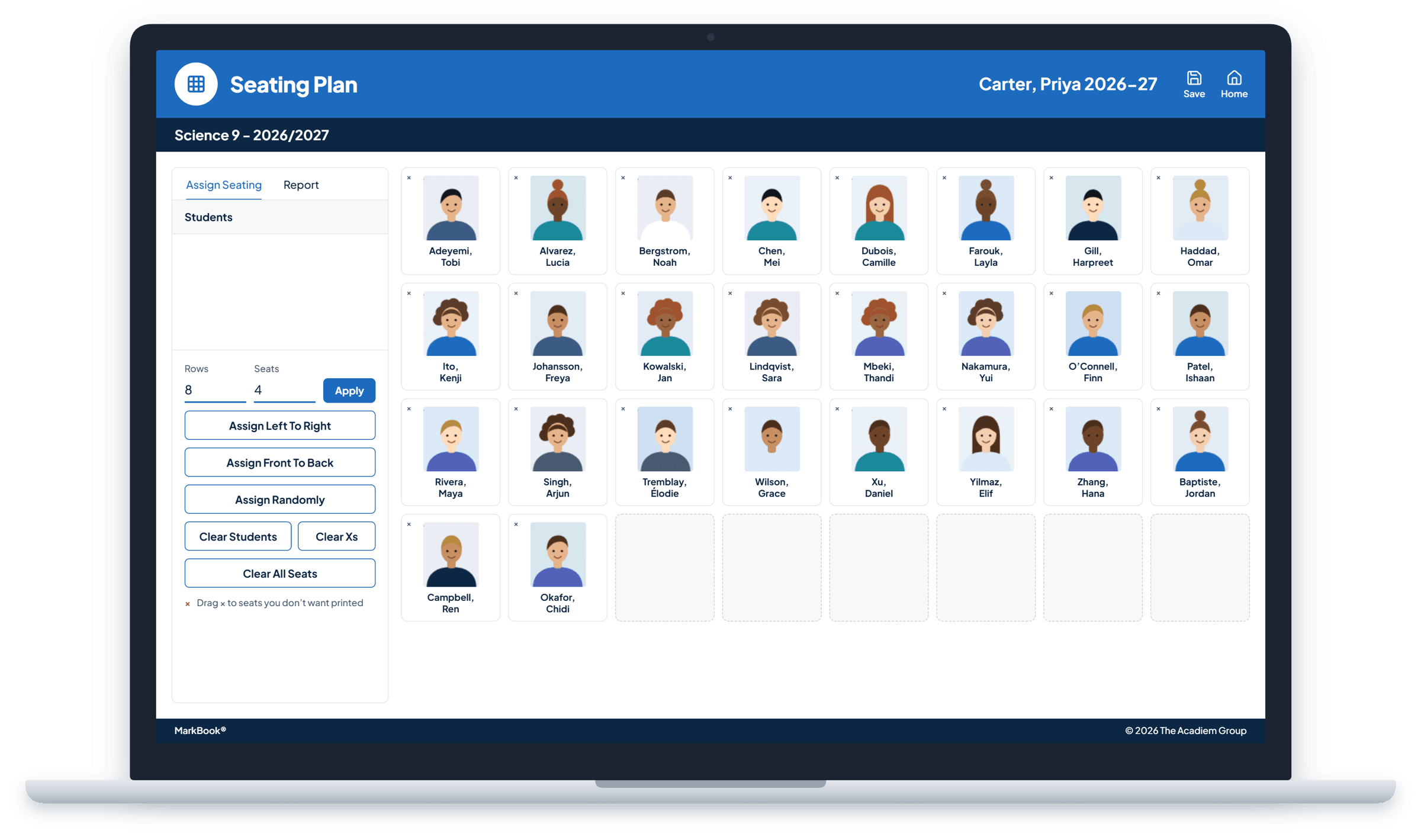
Put a face to every name, from day one.
Add student photos one at a time, or bring in a whole class’s photos at once when you import your class list. Then build seating plans with photos, and learn names faster at the start of the year, when a new student arrives, or when a supply or substitute teacher steps in. Photos help you connect every mark and note to the real student behind it.
Attendance, right beside achievement.
Take attendance in seconds and review patterns over time. Because attendance sits next to the marks, you can see whether a dip in results lines up with missed classes, without switching systems. Attendance informs your judgement. It never changes a mark on its own.
Explore Student Progress →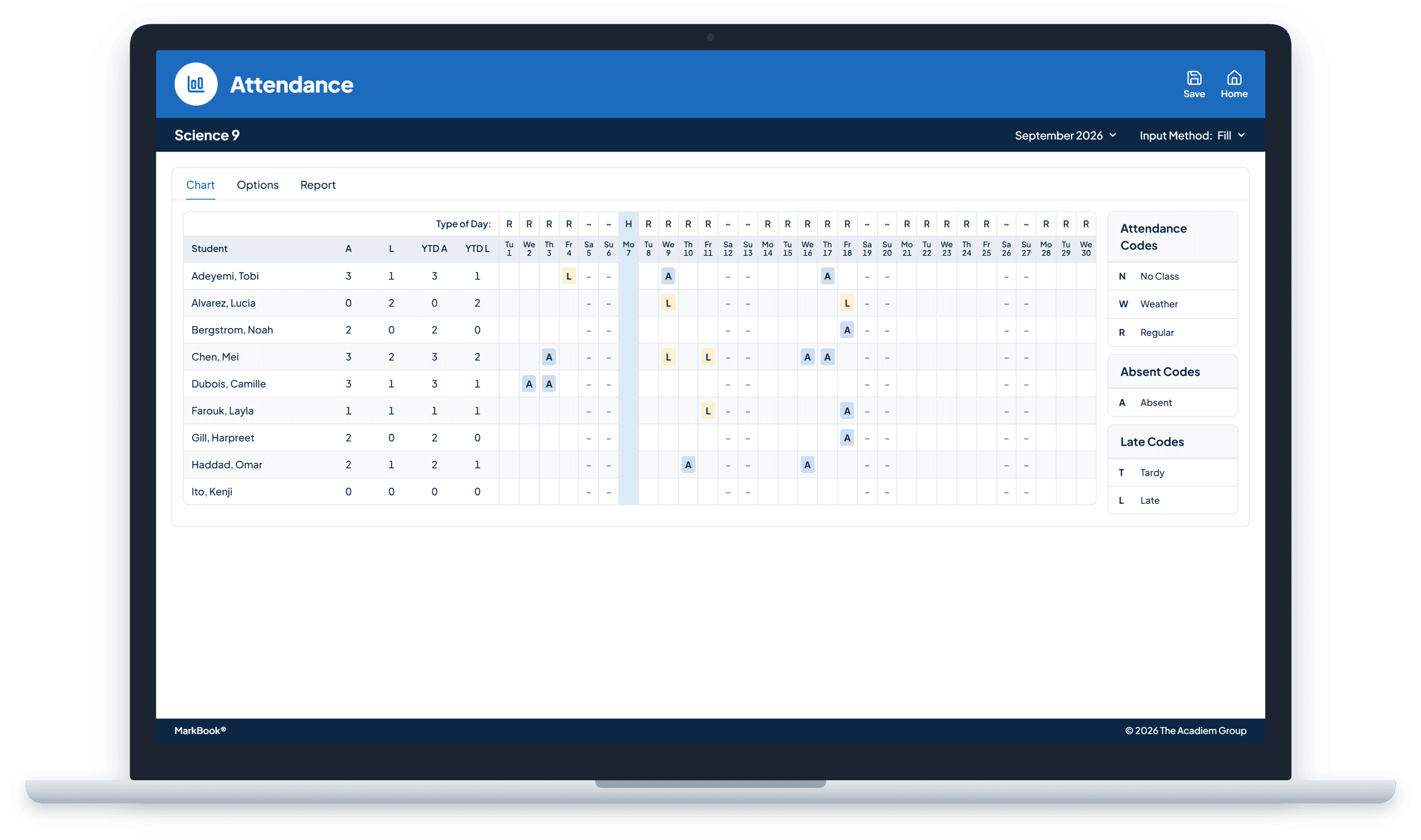
Remember what matters about every student.
Keep notes and observations about each student, from a breakthrough in class to a conversation with a family, safely stored with their record instead of on a sticky note. Notes are never shared with students or families, and they never appear in MarkBook CONNECT or in any report.
Track learning behaviours and work habits separately from achievement, ready to include in reports whenever you need them. And for the everyday details, track textbooks and devices you’ve loaned out, and print class lists whenever you need them.
Explore Reporting →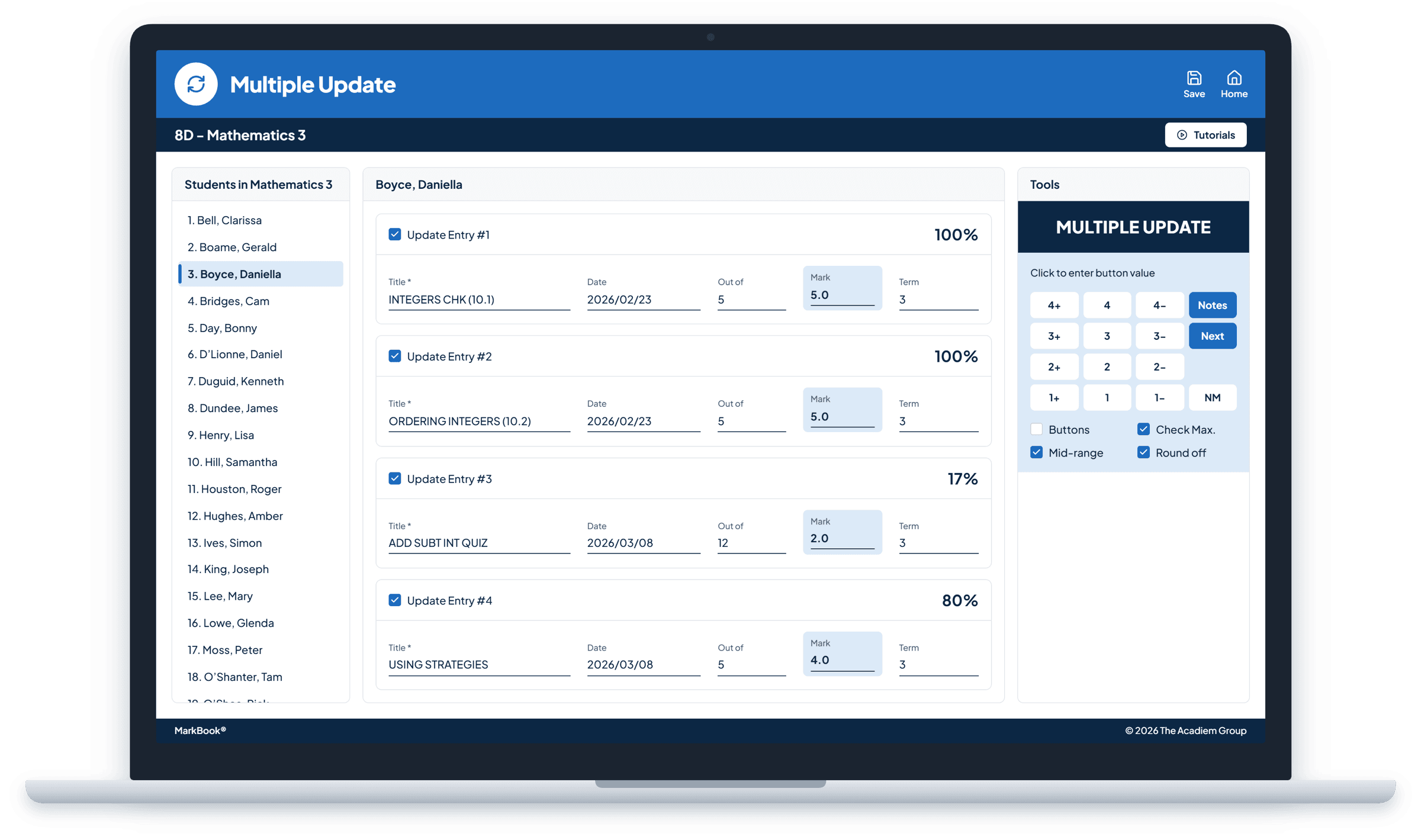
Every tool, whichever way you assess.
Attendance, seating plans, photos, notes, learning behaviours and work habits, and loaned items work the same way in Traditional Grading and MarkBook Mastery classes, so your classroom routines don’t change when your assessment approach does.
Fewer tools. A clearer picture.
Every new app means another login, another training session and another place for student information to live. MarkBook brings everyday classroom tools together with assessment in one secure place, working alongside the systems your school already relies on. Teachers get a simpler day, and student information stays protected.
Bringing MarkBook to your organization? Solutions →
Frequently asked questions
Can I import my class list?
Yes. Import students from standard text or CSV files exported from your school’s student information system, such as Aspen. Imports are file-based, not an automatic sync, and you can run an update when your class list changes.
How do I add student photos?
Upload a photo for any student, or add a whole class’s photos when you import your class list. Each photo is matched to a student by their student ID.
Can I track textbooks or devices I’ve loaned to students?
Yes. Record the item, quantity and loan and return dates, then print or save the list as a PDF.
Keep classroom context connected.
Everything about your class, right where you grade it.